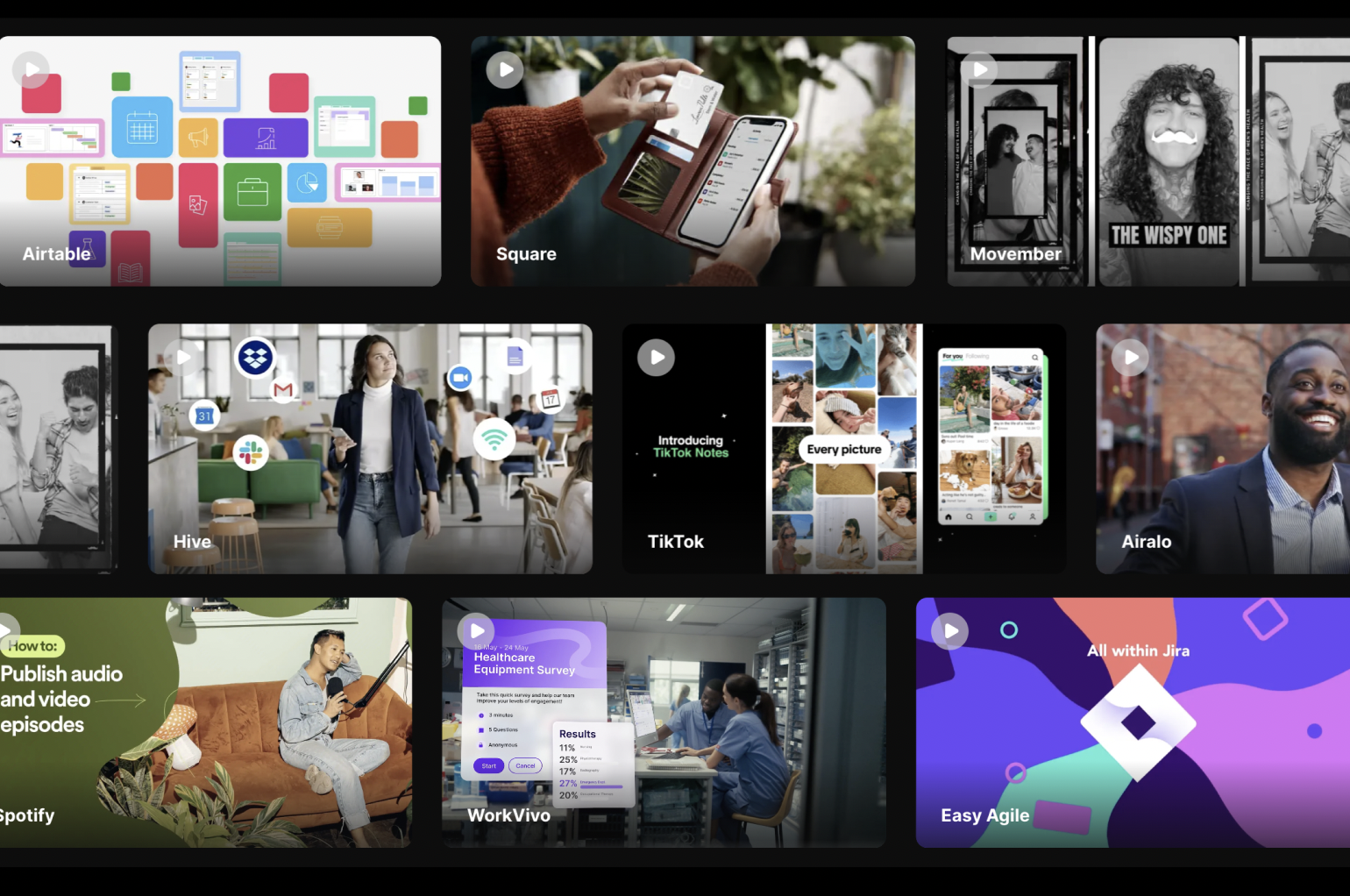
Great demo videos turn complex software into compelling stories that drive conversions. At Vidico, we’ve created demo videos for tech brands like Airtable, FreshBooks, and Easy Agile—generating 1.4 billion views across 1,200+ projects.
Here are software demo video examples that show exactly what works, including what makes each one effective for its target audience.
Key Takeaways
- The best software demo videos are 60-90 seconds long, focusing on pain points rather than feature lists
- Problem-solution demos convert 37% better than generic feature tours, according to video marketing research
- Screen recording combined with animation helps potential customers understand software functionality faster than either approach alone
- High-level overviews work better for initial customer engagement—save technical details for follow-up content
- Background music and visual elements set the tone, with fast-paced music keeping demo videos engaging without overwhelming the core message
- Demo videos with real-life scenarios increase user understanding by 65% compared to abstract explanations
- Vidico’s systems-based approach reduces production costs by 30-40% for ongoing video content needs
Content
Top 10 Software Demo Video Examples Worth Watching
1. Airtable
Airtable’s software demo video is a masterclass in showing software functionality without overwhelming viewers with technical details. The product demonstration opens with a relatable challenge—teams struggling with scattered information—then shows how the platform brings everything together.
What makes it effective:
- The video demonstrates the interface in action rather than describing core features abstractly
- Background music stays subtle, keeping focus on the screen recording and narration
- Each feature demonstration connects to a specific pain point marketing teams face
- The demo uses real-life scenarios that help potential customers imagine using the product
Why it works for the target audience: Airtable knows their users aren’t database experts. The video demo focuses on outcomes (organised projects, connected teams) rather than technical details about database structures.
2. Xero
Australian accounting software Xero takes a strategic approach to their software demo—they don’t dive into complex features. Instead, the product demo video provides a high-level overview that shows how the app simplifies daily business operations.
What makes it effective:
- The video shows rather than tells, using the actual interface throughout
- Simple visual elements guide viewers through core features without confusion
- The demo addresses the key benefits business owners care about: saving time, understanding finances, and staying compliant
- A conversational tone builds rapport with the target audience
Key insight: Xero’s demo video examples show that sometimes less is more. By avoiding deep technical details, they make the software accessible to potential customers who aren’t accountants.
This is a great example of how demo videos can inform users about helpful features without overwhelming them.
Comment “hook me up” on this LinkedIn post to access 100+ high-performing video hooks.
3. Canva
Rather than showcasing dashboards and menus, Canva’s software demo video spotlights real people creating real designs. The product demo focuses on outcomes—what you can create—not the tool itself.
What makes it effective:
- Visual storytelling puts the user’s creations centre stage
- The demo video shows software functions through actual use cases
- Fast-paced music and vibrant visuals match the brand’s energetic identity
- No screen recording overload—just results that speak for themselves
Why it converts: Canva’s demo doesn’t explain all its features. It shows potential customers the end result and lets them imagine achieving it themselves. This approach works brilliantly for creative software where the output matters more than the process.
Looking to create demo videos that convert? Download Vidico’s 10x Creative Process to see how we approach high-impact video content production.
4. SurveyMonkey
When SurveyMonkey redesigned their product in 2017, they used a software demo video to communicate the changes to their target audience. The demo video uses no voiceover—just visual elements and fast-paced background music to showcase the new interface.
What makes it effective:
- Playful graphic elements support the brand’s approachable personality
- The video demonstrates key features through animated UI interactions
- Fast-paced music creates energy that keeps viewers engaged
- Screen recording shows actual software functionality, building trust
Strategic insight: For digital data collection tools, showing the interface builds confidence. SurveyMonkey’s great demo video proves you can communicate complex features without a single spoken word.
5. RemSense
RemSense’s software demo video (produced by Vidico) showcases their Virtualplant platform—a complex industrial software solution. The challenge? Making technical software feel approachable to decision-makers who aren’t engineers.
What makes it effective:
- Clear script narration translates complex features into key benefits
- The product demonstration walks through actual workflows
- Visual elements simplify technical concepts without dumbing them down
- The demo addresses specific pain points in industrial operations
Vidico’s approach: We focused on what the target audience needed to understand: how this software solution improves their operations. The technical details matter less than the outcomes.
6. Slack
Slack’s software demo video examples show that demo videos aren’t just for new customers. Their platform walkthroughs serve as ongoing user education, helping existing users discover new features they might be missing.
What makes it effective:
- The demo focuses on real-life workplace scenarios everyone relates to
- Step-by-step guidance builds user satisfaction and reduces support tickets
- A friendly, approachable tone makes learning feel effortless
- Each video demo targets specific use cases rather than all the features at once
Key lesson: Great demo videos can serve multiple purposes. Slack uses product demonstration content for marketing, onboarding, AND ongoing user education.
7. Square
Square’s software demo video for their point-of-sale system (produced with Vidico) combines practical screen recording with personality-driven narration. The product demo guides users from unboxing through daily operations.
What makes it effective:
- The video demonstrates every step a new user needs
- Visual storytelling shows the product in actual business environments
- Clear explanations address common pain points for small business owners
- The demo doubles as onboarding content, reducing support needs
Why it works: Square understands their target audience isn’t tech-savvy. The demo video holds their hand through every step while keeping the energy positive and encouraging.
8. Square
Square’s collaborative design tool needed to communicate a new concept: real-time design collaboration. Their software demo video achieves this with refreshing authenticity—not overproduced, just genuine.
What makes it effective:
- Multiple cursors working together demonstrate the unique features visually
- A conversational voiceover sounds like helpful advice, not marketing speak
- The interface takes centre stage while narration guides understanding
- The video demo keeps production polish minimal to feel accessible
Strategic insight: Square’s demo video examples prove that sometimes authentic trumps polished. The slightly informal tone builds trust with their creative target audience.
Get your free video marketing plan tailored to your funnel and business goals.
9. Asana
Asana’s software demo video balances comprehensive insights with accessibility. The product demonstration shows how their project management platform adapts to different team types and workflows.
What makes it effective:
- The demo addresses multiple audience segments (marketing teams, product teams, executives)
- Each UI action connects to a specific user understanding of benefit
- Soothing brand elements and colours make the complex tool feel inviting
- Visual elements show rather than describe advanced capabilities
Why it converts: By showing the platform solving different problems for different teams, Asana helps every viewer see themselves as a potential customer.
10. FreshBooks
Video:
FreshBooks’ software demo video (featured in Vidico’s case studies) opens with a problem every freelancer and small business owner knows: invoice chaos. Then it shows exactly how the software solution fixes it.
What makes it effective:
- The video demonstrates the before/after transformation clearly
- Humour and personality make accounting software feel approachable
- The demo keeps focus on core features that matter most to the target audience
- Background music and pacing match the brand’s friendly tone
Key takeaway: The best software demo videos don’t try to show everything. FreshBooks focuses on the key benefits that drive conversion—getting paid faster—and lets that message land.
What These Demo Video Examples Teach Us
Focus on Pain Points, Not Features
Every great example above starts with a problem. The video demonstrates how the software solves that problem. Feature lists come second—if at all.
Ask yourself: What keeps your target audience up at night? Your software demo should address that pain point within the first 10 seconds. This approach helps potential customers see immediate relevance rather than wondering “what does this do for me?”
Keep It Short, Keep It Moving
The best software demo videos run 60-90 seconds. Even for complex features, brevity wins. Use fast-paced music and quick cuts to maintain energy without rushing the core message.
The exception: Tutorial-style content for ongoing user education can run longer, but only when viewers are actively trying to learn specific software functions. For marketing purposes, short wins every time.
Show Real-Life Scenarios
Screen recording of actual software functionality builds trust. But the most effective demo videos contextualise that recording within real-life use cases. Show the software solving actual problems, not just the interface existing.
Practical tip: Include scenarios that match your target audience’s daily work. If you’re targeting marketing teams, show the software solving marketing problems. Generic demos fail because they don’t connect to specific user needs.
Toggl increased conversion rates by 32% and reduced cost-per-acquisition by 27% using our video system for their product launch campaign → See our work
Match Tone to Target Audience
Notice how Figma’s casual authenticity differs from Xero’s professional clarity. Both work because they match their target audience’s expectations. Your video demo should feel native to your brand—not like generic software marketing.
Use Visual Elements Strategically
The best product demo videos use playful graphic elements support the software demonstration without overwhelming it. Animated callouts, comparison graphics, and motion elements can clarify complex features—but only when used purposefully.
Balance is key: Too many visual elements distract from your core message. Too few makes the demo boring. The demo video examples above all find this balance through careful design choices.
Create a Compelling Story Arc
Even a 90-second software demo has a narrative structure. The best software demo video examples follow a simple arc: problem → solution → outcome. This structure helps viewers follow along and remember your key message.
Your product demonstration should take viewers on a journey from frustration to satisfaction—with your software as the bridge between the two.
How to Create Your Own Software Demo Video
Creating demo videos that convert requires more than just screen recording software. Here’s the framework we use at Vidico:
Start with the pain point. What problem does your software product solve? Open with that—make viewers feel understood before you introduce your solution. The best software demo videos hook their target audience in the first 5 seconds.
Show, don’t list. Demo your software functionality in action. Let potential customers see themselves using the product rather than reading bullet points about features. Screen recording combined with strategic animation creates user understanding faster than either approach alone.
Keep one core message. What’s the single most important thing viewers should understand? Build your entire product demo around that core message. Save secondary features for other video content. Trying to cover all the features dilutes your demo’s impact.
“The best video marketing agencies don’t just deliver videos; they deliver strategies. At Vidico, we design campaigns with longevity in mind, ensuring every frame of your video can be repurposed into engaging, platform-specific assets that amplify your ROI.”
Include social proof. Client testimonials, usage stats, or logo bars add credibility. Even brief mentions of trusted brands inform users that your product is legitimate. This is especially important for new software products competing against established players.
End with clear action. What should viewers do next? Great demo videos make the next step obvious and compelling. Whether it’s a free trial, demo booking, or download, remove all friction from the conversion path.
Consider ongoing production. A single demo video helps, but a library of video content covering different use cases and features creates compound value over time. Marketing teams that invest in systematic demo video production see better results than those creating one-off content.
At Vidico, we take a systems-based approach to video marketing—creating demo video examples that work as standalone pieces AND as part of a larger content strategy. This approach typically reduces production costs by 30-40% for brands with ongoing video content needs.
Why Systems-Based Demo Video Production Works
Traditional video production treats each demo video as a separate project. You brief an agency, they produce the video, you pay the invoice, then start over for the next one. This approach is expensive and inefficient.
The systems approach is different. When we create a software demo video, we’re simultaneously building a creative asset bank. Motion graphics, brand elements, visual templates—these become reusable components for future demo videos, explainer videos, and marketing content.
Here’s what this means for your video marketing:
- Lower cost per video as your asset library grows
- Faster turnaround because we’re not starting from scratch
- Consistent visual elements across all your demo video content
- Flexibility to create variations for different target audiences
For software companies that need ongoing demo videos—feature updates, new product demonstration content, onboarding sequences—this systematic approach makes far more sense than traditional project-by-project production.
Our clients typically see 30-40% cost reduction for ongoing video content needs once their asset bank is established.
FAQs
How long should a software demo video be?
The best software demo videos are 60-90 seconds for marketing purposes. This is long enough to demonstrate key features and address pain points without losing viewer attention. For detailed tutorials or ongoing user education, videos can run 3-5 minutes, but only when viewers are actively seeking comprehensive insights into specific software functions.
What’s the difference between a product demo video and an explainer video?
A product demo video shows actual software functionality—typically using screen recording of the real interface. Explainer videos use animation and visual storytelling to explain concepts without necessarily showing the product. The best software demo videos often combine both approaches: animated sequences to explain the problem, followed by a screen recording to demonstrate the solution.
How much does a professional software demo video cost in Australia?
Professional software demo video production typically costs $5,000-$15,000 for a polished 60-90 second video. Costs vary based on animation complexity, live-action footage requirements, and whether you need multiple video examples for different audiences. Vidico’s subscription model significantly reduces per-video costs for brands that need ongoing demo video content.
Should I use screen recording or animation for my demo video?
Use screen recording when you want potential customers to see exactly what they’ll experience—this builds trust and reduces surprises during onboarding. Use animation when explaining complex features or concepts that are hard to show through the interface alone. Many great demo videos combine both: an animated problem setup, then a screen recording for the solution demonstration.
What makes a great software demo video stand out?
Great demo videos focus on pain points rather than features, demonstrate software functionality through real-life scenarios, maintain energy through good pacing and background music, and match tone to their target audience. They also keep a clear core message throughout rather than trying to cover all the features.
How do demo videos help with user satisfaction and retention?
Demo videos serve as ongoing user education, helping customers discover unique features they might miss during initial onboarding. This leads to higher user satisfaction as customers get more value from the software product. Brands like Slack use demo video libraries specifically to increase feature adoption among existing users.
What visual elements make demo videos more effective?
Effective visual elements include: screen recording with animated callouts highlighting key actions, playful graphic elements that reinforce brand personality, comparison visuals showing before/after states, and motion graphics that simplify complex features. The best video examples balance visual interest with clarity—never letting effects distract from the core message.
How can I measure if my software demo video is working?
Track view duration (are people watching past the first 30 seconds?), click-through rate on your call-to-action, and correlation with free trial signups or demo requests. For demo videos used in sales processes, measure how demos impact deal velocity and close rates. Great demo videos should noticeably impact these metrics within 30-60 days of launch.
Ready to Create Demo Videos That Convert?
The best software demo video examples share common traits: they address real pain points, clearly demonstrate software functionality, and align with their target audience’s expectations. Whether you’re launching a new software product or refreshing outdated demo videos, these principles apply.
At Vidico, we’ve created demo videos for tech brands like Airtable, Square, and Easy Agile—helping them communicate complex features to potential customers who don’t have time for lengthy explanations. Our systems-based approach means each project builds on the last, creating a library of video content that compounds in value over time.
Book a free strategy session — We’ll map out exactly how to communicate your software’s value in 60 seconds or less.
References:
- https://finance.yahoo.com/news/video-production-company-vidico-launch-130000641.html
- https://www.atlassian.com/blog/loom/product-demonstration