

A video brief template is a short, reusable document that aligns your team, agency, or editor on a video’s goal, audience, message, and technical specs before production starts. It turns a vague request like “we need a product video” into a clear plan everyone can work from.
Most teams treat the brief as paperwork and skip it, and projects drift. Unclear requirements are a common reason video work runs over budget and misses deadlines, and a tight brief is the standard fix.
We produce B2B explainer videos at Vidico for SaaS and tech teams, and we have shipped 2,000+ campaigns. In our experience, the briefs that save time start from a reusable template rather than a blank page each project. This guide gives you that template, every field to fill in, a 10-step process, and a filled example to adapt for your own project.
Key Takeaways
- A video brief aligns everyone before production starts. It sets the goal, audience, message, and specs so your team, agency, and editor work from one plan instead of their own assumptions.
- The strongest briefs are reusable, not one-off. Starting from a template means each project is faster to scope than the last, and nothing important gets forgotten.
- Scope creep is the real cost of skipping the brief. PMI’s 2018 Pulse of the Profession survey found that around half of projects experience scope creep and nearly half miss their delivery date. A clear brief helps the team agree on scope and delivery expectations before work starts.
- Specs decide the budget. Naming deliverables, lengths, and aspect ratios such as 16:9 and 9:16 upfront is how you prevent surprise costs in video.
- Copy the template below. You get the fillable fields, a 10-step process, and a filled example to adapt to your next project.
Content
What Is a Video Brief Template?
A video brief template is a reusable outline you fill in at the start of a video project to capture the goal, audience, key message, creative direction, and technical specs in one place. It gives everyone, from the marketing lead to the editor, a single reference for what you are making and why.
The brief is a decision document, not a script. The script writes the words and shots. The brief sets the strategy those words serve: who the video is for, what it must achieve, and what “done” looks like. A brief is also narrower than a full scope of work, which adds contracts, payment terms, and legal detail. The brief is the creative and strategic core that the script, the storyboard, and the production schedule all build from.
What a video brief template is, and how it differs from a script or a scope of work.
A good template covers five areas: the project overview, the objectives and how you will measure them, the audience, the message and creative direction, and the logistics and technical specs. The next section shows every field.

What to Include in a Video Brief (Template Fields)
A complete video brief answers five sets of questions. Fill in each field in plain language. If you cannot answer one, that gap is exactly what the brief exists to surface before anyone starts filming.
Project Overview
- Project title: A working name for the video so everyone references the same project.
- Company and background: One or two sentences on what your business does, plus a link to your site. This orients a freelancer or agency who does not know you yet.
- The problem: Why you need this video now and the business challenge it solves. “Trial users drop off before they reach the aha moment” is a problem. “We want a cool video” is not.
Objectives and KPIs
- Primary goal: One clear objective. Awareness, sign-ups, sales enablement, or onboarding. Picking one keeps the creative focused. Secondary goals dilute both the video and the budget.
- KPI: The measurable metric that tells you the video worked. A target cost per acquisition, click-through rate, demo bookings, or activation rate. Name the number you will check in 90 days.
- Funnel stage: Top of funnel for awareness, middle for consideration, or bottom for decision. The stage changes the length, the tone, and the call to action.
Target Audience
- Audience profile: Who the video is for, in specifics. Role, company size, buying stage, and the pain they feel. “SMB operations leads at 10 to 50-person firms evaluating a payroll switch” drives real creative decisions. “Business owners” does not.
- Viewer takeaway: What you want the audience to think, feel, or do in the first minute after watching. If you cannot name it, the video has no job.
Message and Creative Direction
- Key message: The one thing viewers must remember, plus up to three supporting points ranked in order. Lead with the single idea the whole video defends.
- Tone and style: Three adjectives for the vibe, and a short “not” list. “Confident, warm, modern, and not corporate, not cheesy” prevents more wrong turns than the positive words alone.
- Reference videos: Two to five links to videos whose style, pacing, or look you admire. References give everyone a shared visual vocabulary and cut revision rounds faster than any written description.
- Voiceover and audio: Note whether you need a voiceover artist, a specific music mood, sound effects, or on-screen text and captions.
- Script and storyboard notes: Any must-have scenes, lines, product shots, or legal wording. The brief does not write the script, but it flags the non-negotiables the script must include.
Logistics and Technical Specs
- Deliverables and specs: Every final file you need, with length and aspect ratio. A 90-second hero explainer in 16:9, plus 9:16 vertical cutdowns at 15 and 30 seconds for paid social. Vague deliverables are a common source of scope creep in video.
- Distribution channels: Where the video will live. A website homepage, YouTube, Meta or LinkedIn ads, sales decks, or an event. Each channel has its own length and format rules.
- Budget: A figure or a ballpark range. A real number lets a partner propose the right production route instead of guessing. If you are benchmarking, our guide to video production cost breaks down the ranges.
- Timeline and milestones: The hard delivery date and any fixed dates along the way, such as a launch or an event. Note review windows so feedback does not stall the schedule.
- Stakeholders and sign-off: Who gives feedback and who holds final approval. Naming one approver prevents the last-minute committee rewrite that wrecks timelines.
Free Video Brief Template (Copy and Paste)
Copy the template below into a document and fill in each line. It maps one-to-one to the fields above, so a reader who only wants the outline can take it and go.
VIDEO BRIEF

Project title:
Company and background:
The problem this video solves:

Primary goal (one):
KPI (the number you will measure):
Funnel stage (awareness / consideration / decision):

Target audience (role, company size, buying stage, pain):
Viewer takeaway (think / feel / do):

Key message (one):
Supporting points (up to three, ranked):
Tone and style (three adjectives + a "not" list):
Reference videos (2 to 5 links):
Voiceover and audio needs:
Script / storyboard must-haves:

Deliverables and specs (length + aspect ratio, e.g. 90s 16:9 + 15s 9:16):
Distribution channels:
Budget (or range):
Timeline and key milestones:
Stakeholders + final sign-off owner:
Prefer a formatted reference? Download the PDF video brief template. To create an editable document, copy the template above into Word or Google Docs.
How to Write a Video Brief in 10 Steps
Work through the template in order. Each step fills one part of the brief, and the sequence moves from strategy to logistics so the creative decisions come before the production details.
1. Define One Clear Objective
Start by naming the single business outcome the video must drive. Brand awareness, trial sign-ups, sales enablement, or product onboarding. One primary objective keeps the creative sharp. A list of five goals produces a video that does none of them well.
2. Understand Your Audience
Write down exactly who the video is for before you decide anything else. Capture their role, company size, buying stage, and the specific pain the product solves for them. The more precise the audience, the easier every later decision becomes, from tone to length to the examples you show on screen.
3. Set the Key Message
Pin down the one idea the video must land, then rank up to three supporting points beneath it. Ask what a viewer must remember after watching. A single, memorable message beats a feature tour, because one clear idea sticks where a list of nine does not.
The test for Step 3: name the one idea a viewer must remember after watching.
4. Choose the Video Type and Style
Match the format to the objective and the channel. An explainer, a product demo, a testimonial, a brand film, or a short social cut each serve a different job. Then set the style and tone with three adjectives and a short “not” list so the look matches your brand and the message.
5. Draft the Script and Storyboard Direction
Outline the narrative the brief will guide. The script carries the dialogue and voiceover, and the storyboard maps the scenes and transitions. At the brief stage you are not writing the full script, you are flagging the must-have scenes, lines, and product moments the script has to include. Browse our types of video production if you are still deciding on the format.
6. Plan the Visual and Audio Elements
List what the video needs to come to life. Locations, on-screen talent, product footage, motion graphics, music mood, and sound effects. Deciding these at the brief stage keeps the shoot efficient and stops the “we forgot we needed a voiceover” surprise in the edit.
7. Specify Deliverables and Technical Specs
Spell out every final file, with length and aspect ratio. One 90-second hero cut in 16:9, plus 9:16 verticals at 15 and 30 seconds for paid social. Ambiguity here is a common cause of extra charges, so make this section as precise as you can.
8. Choose Distribution Channels
Name where the video will run, because the channel shapes the edit. A homepage hero, a YouTube pre-roll, a LinkedIn ad, and a sales deck each want a different length, caption treatment, and opening. Decide this before production so the team shoots and cuts for the right destination.
9. Set the Feedback and Revision Process
Agree on how feedback works before the first draft lands. State how many revision rounds are included, who consolidates comments, and the turnaround for each round. A clear review process is what keeps an open-ended feedback loop from eating the timeline and the budget.
10. Finalize and Share the Brief
Review the document against the objective, the audience, and the specs, then circulate it to stakeholders for input and get final sign-off from the one approver you named. The finished brief is the reference everyone returns to from kickoff to delivery, which is exactly what keeps a project aligned when questions come up mid-production.
Want an outside read on your creative before you brief it? Vidico’s free Creative Intelligence Report analyzes 12 areas of your video and ad creative and delivers findings in 48 hours.
Filled-In Example: a B2B Explainer Video Brief
Here is the template filled in for a hypothetical B2B SaaS onboarding explainer, so you can see the level of detail that makes a brief work. Treat it as a model to adapt, not a script to copy.
- Project title: Acme Payroll, first-run onboarding explainer
- Company and background: Acme is a payroll platform for 10 to 200-person companies. It automates pay runs, tax filing, and compliance.
- The problem this video solves: New customers stall during setup and open support tickets instead of finishing onboarding. We need a video that walks them through the first pay run.
- Primary goal: Lift activation (customers who complete their first pay run within 14 days).
- KPI: Move 14-day activation from 48% to 60%.
- Funnel stage: Bottom of funnel (existing customers, onboarding).
- Target audience: Office managers and finance leads at 10 to 200-person firms, non-technical, setting up payroll for the first time, anxious about getting tax details wrong.
- Viewer takeaway: “Running my first pay run is simpler than I feared, and I know the three steps to do it.”
- Key message: You can run your first payroll in under 15 minutes. Supporting points: the setup wizard checks compliance for you; you can fix mistakes before anything is sent; support is one click away if you get stuck.
- Tone and style: Clear, reassuring, modern. Not corporate, not jargon-heavy, not condescending.
- Reference videos: Three links to clean, screen-recording-led product explainers with warm voiceover.
- Voiceover and audio: Friendly female voiceover, light upbeat background music, captions burned in for silent viewing.
- Deliverables and specs: One 2-minute walkthrough in 16:9 for the in-app onboarding flow, plus three 30-second 9:16 clips for the help center and social.
- Distribution channels: In-app onboarding screen, help center, and onboarding email sequence.
- Budget: 8,000 to 12,000 USD.
- Timeline: Final delivery in six weeks, with script sign-off by week two.
- Stakeholders and sign-off: Product marketing lead gives feedback. Head of customer success holds final approval.
When Should You Use a Video Brief?
Use a video brief at the start of any video project, before a single frame is shot or a word is scripted. It is the foundational document that gives direction to everyone involved, from the in-house marketer to the external production team.
The brief matters most when more than one person touches the project, when budget is on the line, or when the video has a specific business job to do. A quick social clip filmed on a phone may not need a full brief. A funded campaign, a product launch, or any agency engagement does. If you are planning a launch, our roundup of promotional video examples shows what a clear brief produces.
The four conditions that make a brief worth writing, from this section.
Benefits of a Video Brief
A video brief protects the budget, the timeline, and the final result by removing a common failure point: people working from different assumptions.
PMI’s 2018 Pulse of the Profession survey found that around half of projects experience scope creep and nearly half are not delivered on time. Scope creep, the slow expansion of a project beyond its agreed boundaries, is exactly what a brief is built to prevent. The specific benefits:
- Alignment. Every stakeholder works from one agreed set of goals, messages, and specs.
- Fewer revisions. Reference videos and a ranked key message cut the back-and-forth that drags out edits.
- Budget control. Named deliverables and specs stop mid-project additions from inflating the cost.
- Consistency. A reusable template keeps tone and quality steady across many videos and campaigns.
- Accountability. A named sign-off owner means feedback is decisive, not a committee free-for-all.
- Speed over time. Each completed brief becomes the starting point for the next, so planning gets faster with every project.
The failure rate a brief is built to prevent. Source: Project Management Institute, Pulse of the Profession.
Video Brief Mistakes to Avoid
Brief mistakes usually come from being either too vague or too rigid. Avoid these:
- Vague objectives. “Make it go viral” is not a goal. Name a measurable outcome and a KPI.
- A broad audience. “Everyone” is no one. Narrow it to a role, a company size, and a buying stage.
- Describing tone in your head. If the style lives only in your mind, the team cannot hit it. Use adjectives, a “not” list, and reference videos.
- Skipping the specs. Leaving out lengths and aspect ratios is how a one-video project becomes a five-deliverable invoice.
- No single approver. Too many sign-offs stall projects. Name one person who holds final approval.
- Treating the brief as fixed. Good briefs flex. Revisit the document if the project genuinely changes, rather than forcing the original plan.
Working With a Video Production Partner
A brief is only half the job. Turning it into a finished video is where a production partner earns its place, especially for ongoing or high-stakes work.
At Vidico, we produce B2B explainer videos for SaaS and tech teams, and we build the brief into a reusable template system so each project ships faster than the last. TikTok, for example, saw a 400% increase in creative output on campaigns produced with us. Our monthly subscription covers explainer video production, motion graphics, ad creative, and social content under one plan, with reusable templates that lower the cost per asset over time. If you want to see how a systematic brief process works end to end, the 10x creative process walks through it, or take the quiz for a quick estimate on your project.
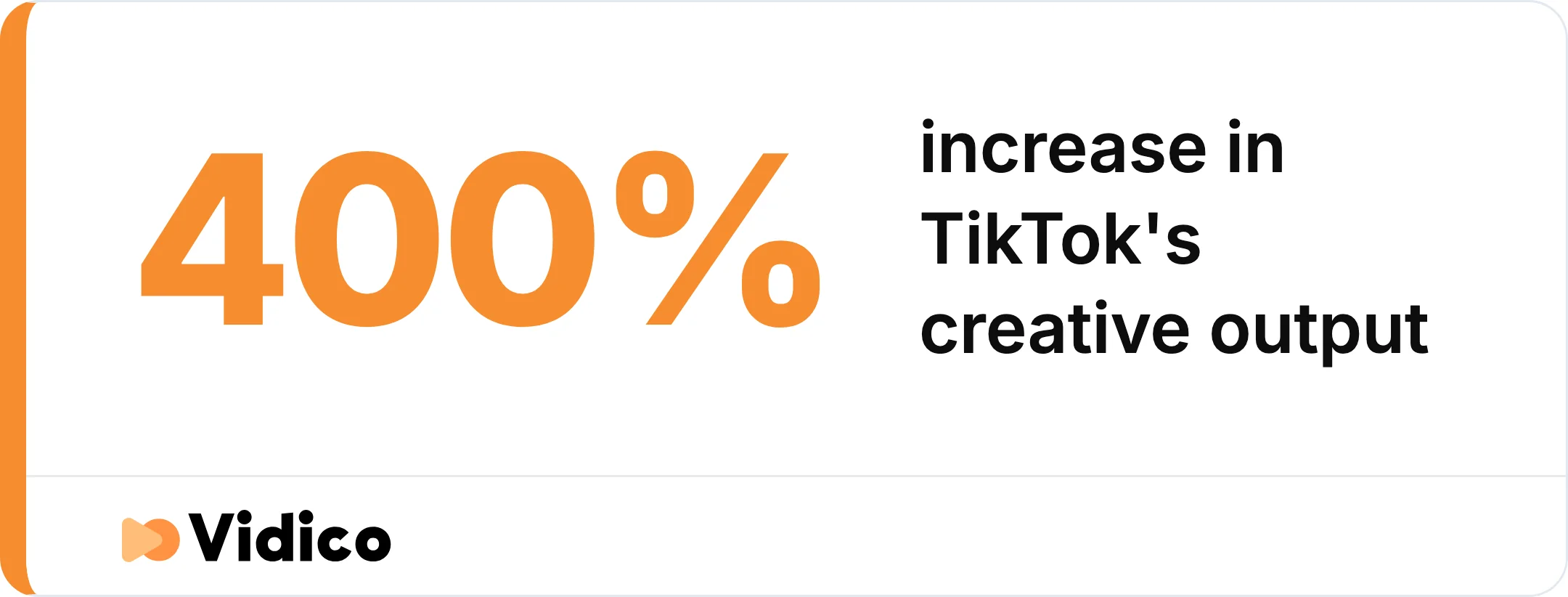
What a reusable brief and template system did for TikTok’s creative output on campaigns produced with Vidico.
Frequently Asked Questions
What is a video brief?
A video brief is a short document that sets a video project’s goal, target audience, key message, creative direction, and technical specs before production begins. It keeps the team, the agency, and the editor aligned on what you are making and why.
What should a video brief include?
A complete video brief includes a project overview, a primary objective with a measurable KPI, a specific target audience, a ranked key message, tone and reference videos, deliverables with lengths and aspect ratios, distribution channels, budget, timeline, and a named sign-off owner.
Is a video brief the same as a creative brief?
A video brief is a type of creative brief built for video. It covers the same strategic fields as any creative brief, plus video-specific details such as deliverable lengths, aspect ratios, voiceover and audio, and script or storyboard notes. A generic creative brief template works, but a video brief saves time by prompting the production specs you will need anyway.
How long should a video brief be?
A video brief should be one to two pages. It is a planning tool, not a contract, so it should be long enough to answer every field clearly and short enough that busy stakeholders actually read it. If yours runs past two pages, you are likely writing the script, not the brief.
Who writes the video brief?
The person or team commissioning the video writes the brief, usually a marketer, brand manager, or content lead. On agency projects the client drafts it and the production partner refines it together, so both sides agree on scope before work starts.
Where can I get a free video brief template?
Copy the free template in this guide into Word or Google Docs to create an editable version. The linked download is a PDF template you can use as a reference.
Conclusion
A video brief template turns scattered ideas into a clear plan your whole team can follow. Fill in the goal, the audience, the message, the creative direction, and the specs before production starts, and you prevent the scope creep, revision spirals, and missed deadlines that sink most video projects. Keep the filled template as a reusable starting point, and each new brief gets faster to write.
At Vidico, we are a B2B explainer video company for SaaS and tech teams, and we build reusable brief and template systems so every campaign ships faster than the last, the same approach behind 2,000+ campaigns for brands like Airtable and HoneyBook. If you are planning your next video, book a free strategy session and we will help you turn your brief into a video that does its job.