
Most tech explainer videos fail on strategy, not budget. Your buyer does not have time to decode technical jargon. They need to understand what your product does, and why it matters, in under two minutes. The videos that pull this off are not the ones with the biggest production spend. They are the ones that name a real problem in the first few seconds and then show the fix with a single clear idea.
At Vidico, we produce explainer videos for SaaS and tech brands. We have shipped 2,000+ campaigns and 1.5 billion+ views across every vertical we work in, including 450+ tech brands. Below are eight tech explainer video examples that work, each with the technique behind it and an honest note on who the style suits.
Key Takeaways
- The best tech explainer videos lead with the problem, not the product. They spend the opening seconds making the viewer feel a pain point before the solution appears. Strategy and story structure separate the good ones from the forgettable, far more than production budget.
- Match the style to the product. 2D motion graphics suit abstract SaaS and cloud workflows, 3D animation suits hardware and deep tech, and live-action or screencast suits product tours and humanizing a brand.
- Keep it short. Vidyard’s business-video benchmark found that videos under one minute hold 65% of viewers to the end, and engagement drops at every added minute. Aim for 45 to 90 seconds for top-of-funnel placement.
- Video is where buyers spend their attention. HubSpot’s marketing data shows the top three ROI-driving content formats are all video: short-form (49%), long-form (29%), and live-streaming (25%).
- A professional tech explainer video usually costs $2,000 to $15,000 as of 2026. Animated explainers sit at the higher end, live-action lower, with the exact price set by length, complexity, and how custom the work is.
Content
The 8 Best Tech Explainer Video Examples in 2026
The examples below span SaaS, cloud, hardware, and payments, and cover every major style. Each one links to the actual video or case study so you can watch the technique in action, not just read about it. For explainer examples beyond tech, see our explainer video examples guide.
| # | Example | Category | Style | What makes it work |
|---|---|---|---|---|
| 1 | HoneyBook | SaaS / clientflow | Animated explainer | A/B tested; the explainer beat a testimonial cut on signups |
| 2 | Slack | Team communication | Live-action / mixed | Opens on the chaos of scattered work, not features |
| 3 | Figma | Design collaboration | UI motion graphics | Shows real-time collaboration through the product itself |
| 4 | Dropbox | Cloud storage | 2D animation | Strips a technical idea down to simple moving shapes |
| 5 | Microsoft Azure | Cloud infrastructure | 2D motion graphics | Turns infrastructure diagrams into board-ready clarity |
| 6 | monday.com | Work management | Product walkthrough | Function over metaphor, a guided hands-on demo |
| 7 | Clever Devices | Transit tech / hardware | Live-action + data | Real-world footage layered with animated data |
| 8 | Cascade | B2B SaaS strategy | Explainer / brand | Held a 93% view rate across 1.4M+ views |
1. HoneyBook
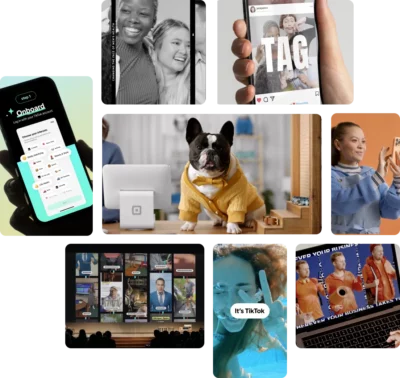
What it is: HoneyBook is clientflow software for independent businesses, and this animated explainer introduces the platform to a waitlist audience. It is our own production, and it earned a rare thing: a measured result.
The technique: The video opens on the admin chaos a solo business owner lives with, then resolves it with one calm through-line, the product as the system that ties the mess together. HoneyBook ran an A/B test against a testimonial video made in-house and saw a 9% lift in waitlist signups with the Vidico explainer. That is the whole case for a strong explainer: it does not just look good, it converts better than the alternative.
Not for you if: you want a straight feature tour. This style works because it leads with emotion and problem, so a dry capability list would break it.
2. Slack
What it is: Slack is a team-communication platform, and its explainer is a benchmark for the “name the pain first” approach that the best tech videos share.
The technique: It opens on the daily chaos of scattered tools and endless email, the exact frustration its audience feels, before Slack appears as the calm alternative. The product is the answer to a problem you already recognize, not a set of features shouted up front. Watch Slack’s official explainer.
Not for you if: your product solves a problem buyers do not yet feel. This pain-point structure needs an ache the viewer already has.
3. Figma
What it is: Figma is a collaborative design tool, and its explainer demonstrates the product by using the product, with smooth interface motion showing several people editing one file at once.
The technique: Rather than describe real-time collaboration, the video shows it. The UI motion graphics let the feature carry the message, which builds instant credibility for a product whose value is hard to explain in words. Watch Figma’s official explainer.
Not for you if: your product’s value is not visual. Interface-led motion works when the software itself is the story, and falls flat when the payoff happens off-screen.
4. Dropbox
What it is: Dropbox is a cloud-storage service, and its explainer is a classic case study in simplification, still cited years later as the benchmark for reducing a technical idea to its essence.
The technique: It reduces a technical concept, files that sync everywhere, to simple moving shapes and one plain-spoken voiceover. No jargon, no feature dump. The restraint is the skill: it trusts a single idea to land. Watch Dropbox’s explainer.
Not for you if: your product genuinely needs depth to make sense. Extreme simplicity can undersell a platform that buyers evaluate on specifics.
5. Microsoft Azure
What it is: Microsoft Azure is a cloud-computing platform, and this explainer makes an abstract, sprawling product understandable to a mixed technical and business audience.
The technique: Clean 2D motion graphics turn infrastructure diagrams into board-ready clarity. Minimalism does the work, one concept per frame, so a viewer who is not a cloud engineer can still follow the value. Watch the Microsoft Azure explainer.
Not for you if: you need to demo a specific interface. Minimalist motion graphics explain the idea, but they do not show the actual product screens.
6. monday.com
What it is: monday.com is a work-management platform, and its walkthrough favors function over metaphor, a guided tour of what you can actually do inside the tool.
The technique: Instead of an abstract story, it shows the product hands-on, moving through real workflows so the viewer pictures their own team using it. For a flexible platform that can mean many things to many buyers, the demo format is the proof. Watch the monday.com walkthrough.
Not for you if: your product is early or the interface is still changing. A screencast dates quickly and needs re-shooting whenever the UI shifts.
7. Clever Devices
What it is: Clever Devices builds transit technology for buses and fleets, and its video shows how to explain physical-world tech that lives partly in hardware and partly in software.
The technique: It layers real transit footage with an animated data overlay, so viewers see both the vehicles on the road and the invisible data moving underneath. Live-action grounds the product in reality while the animation makes the technical layer visible. Watch the Clever Devices video.
Not for you if: your product has no physical or real-world footprint. Pure software rarely needs the live-action layer this hybrid style adds.
8. Cascade
What it is: Cascade is a strategy-execution platform for B2B teams, and this Vidico-produced explainer proves that a well-built brand video keeps people watching.
The technique: The video pairs a clear narrative with confident motion design and holds attention the whole way through. Across 1.4M+ views it kept a 93% view rate, which is the signal that matters most for an explainer: people finish it. A video only converts if viewers stay to the point where the product makes its case.
Not for you if: you need a short, punchy social cut-down first. A fuller brand explainer earns its length on your site and in sales, but it is not built for a three-second feed hook.
Types of Tech Explainer Videos
The right style depends on what you are explaining. Here are the main formats and where each one fits.
- 2D motion graphics. The default for SaaS and software. Animation visualizes abstract workflows and data that live action cannot capture, it is cost-effective, and it is easy to update as your product changes. Best for cloud tools and abstract concepts. See our guide to types of animation.
- 3D product animation. Best for hardware, IoT devices, and deep-tech products with physical components. 3D adds depth and realism to a product demo, but it costs more and takes longer to produce. More in our 3D explainer video guide.
- Live-action and screencast. Real people and real screens. Live action builds trust and human connection, while a screencast shows the actual interface, which matters most for product tours and onboarding. See live-action versus animation.
- Mixed media. Combines live-action footage with animated overlays and motion graphics. It suits tech products that need both human connection and technical explanation, such as the Clever Devices example above.
What Makes the Best Tech Explainer Videos Work
The best tech explainer videos share the same handful of traits, whatever the style. These are what separate a video people finish from one they skip.
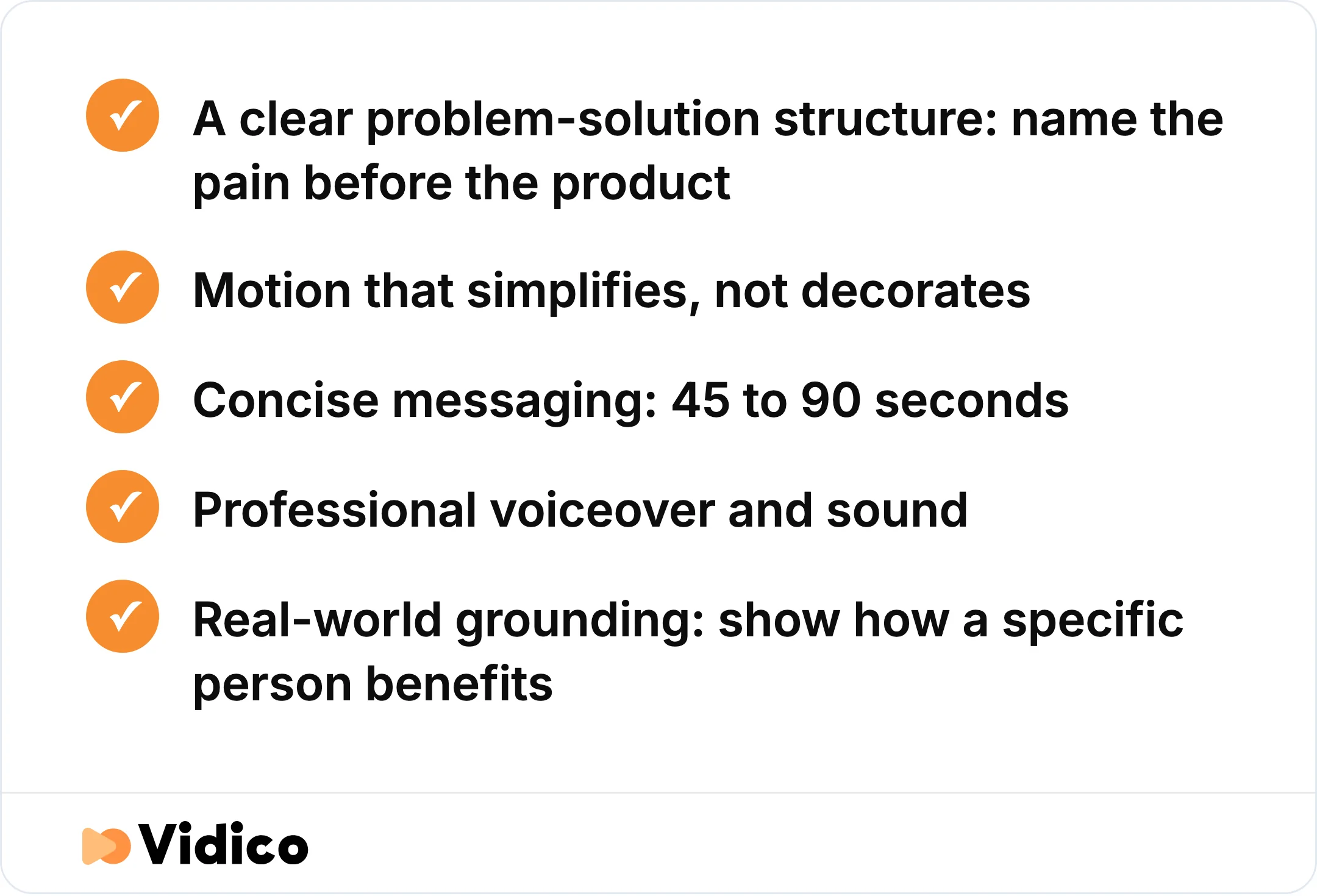
The traits that separate a tech explainer video people finish from one they skip.
A clear problem-solution structure. Every strong explainer opens by naming the viewer’s pain before it introduces the product. It shows the problem, makes you feel it, then shows the fix. This mirrors how buyers actually think about their own challenges, which is why practitioners in communities like r/MotionDesign rate story structure above production spend.
Motion that simplifies, not decorates. Good motion graphics carry meaning. They turn an abstract idea into something a viewer can picture, rather than adding movement for its own sake. Each frame should earn its place.
Concise messaging. Your audience will not watch a ten-minute demo. The best videos distill the value into 45 to 90 seconds. Length is not neutral: shorter videos hold far more viewers to the end, per Vidyard, and attention falls at every added minute.
Professional voiceover and sound. Audio quality is what separates an amateur video from a produced one. A clear voiceover delivers the message with authority, and considered sound design keeps the energy up without distracting.
Real-world grounding. The strongest examples tie technical concepts to a real scenario. Instead of listing features, they show how a specific person, an IT lead, a marketer, an operator, benefits. That is what makes an abstract product feel usable.
How to Create a Tech Explainer Video That Converts
Start with the problem, not the product, and build outward from there. The steps below hold across every style.
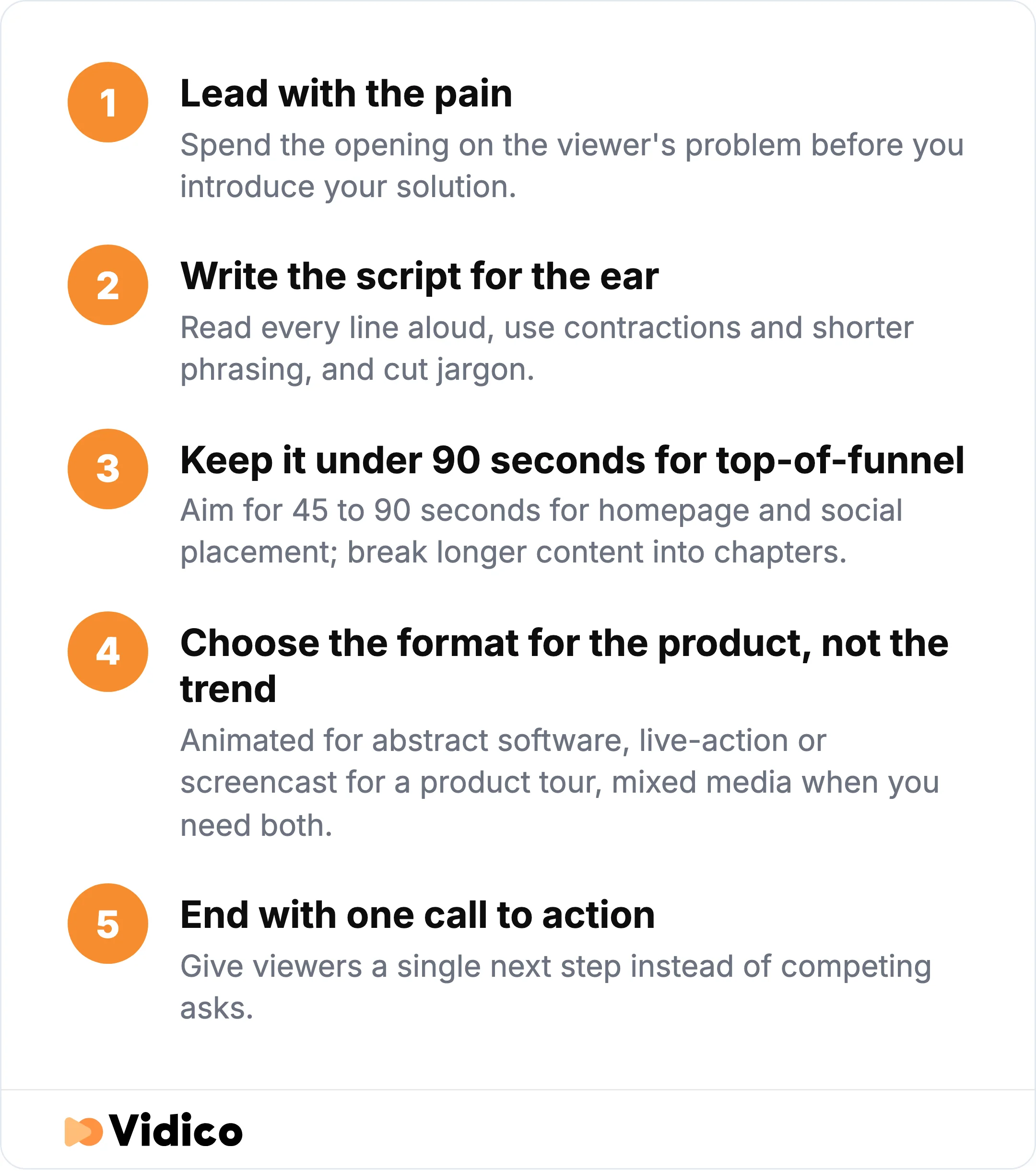
The five-step process behind a tech explainer video that actually converts.
Lead with the pain. Spend the opening on the viewer’s problem before you introduce your solution. It feels counterintuitive, but a viewer who feels the problem is primed to hear the fix. Our full walkthrough covers this in our guide on how to make an explainer video.
Write the script for the ear. Read every line aloud. If a sentence feels stiff, rewrite it with contractions and shorter phrasing, and cut any jargon your audience would not use in conversation.
Keep it under 90 seconds for top-of-funnel. For homepage and social placement, aim for 45 to 90 seconds. For a dedicated landing page or onboarding, you can run longer, but break the content into chapters so viewers can navigate.
Choose the format for the product, not the trend. Animated for abstract software, live-action or screencast for a product tour, mixed media when you need both. Let what you are explaining decide.
End with one call to action. Give viewers a single next step, start a trial, book a demo, or watch the next video. One clear ask converts better than three competing ones.
How Much Does a Tech Explainer Video Cost?
A professional tech explainer video costs $2,000 to $15,000 as of 2026, with the exact price set by format, length, and how custom the work is. The two most common formats break down like this:
- Animated explainer: $3,000 to $15,000. Best value for SaaS demos and abstract concepts.
- Live-action explainer: $2,000 to $8,000. Suits product overviews and feature launches where you show real people or real screens.
The gap usually comes down to how bespoke the work is. A template-driven animation sits at the low end, while custom illustration, 3D, or a live shoot pushes toward the top. For a fuller breakdown across every format, see our video production cost guide.
AI and DIY Explainer Tools vs Professional Production
AI and DIY explainer tools are a real option for a first draft or a tight budget. Tools that generate a rough animated video from a script can get a simple concept on screen fast, which works for an internal video or an early test.
The trade-off is strategy and craft. AI tools generate output, but they do not decide what problem to lead with, how to structure the story, or which single idea should carry the video. That thinking is what makes an explainer convert, and it is exactly what generic, template-based output tends to skip. We use AI to speed the repetitive layer of production, localization, versioning, and repurposing, while a creative director owns the brief and every final cut. The point is not more content faster for its own sake. It is content that earns attention instead of adding to the noise.
Why Teams Choose Vidico for Tech Explainer Videos
Vidico is a B2B explainer video company built for SaaS and tech teams that need production to keep pace with their roadmap. We have shipped 2,000+ campaigns and 1.5 billion+ views across our work, and we have produced for 450+ tech brands, from HoneyBook’s waitlist explainer to Taggg’s launch video, which helped bring the first 250 users onto the platform.
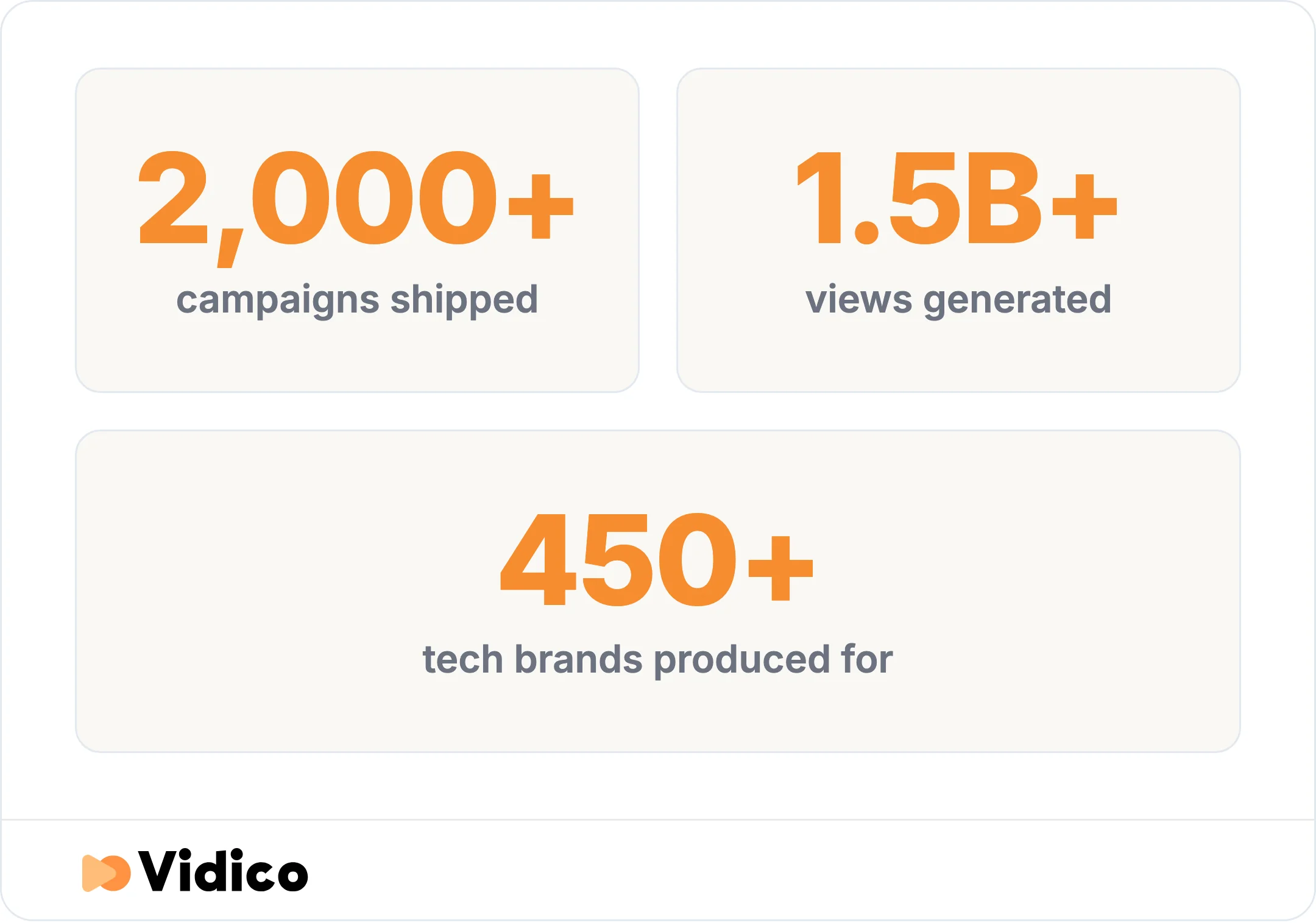
Vidico’s track record producing tech explainer videos.
Two things make the difference for tech teams. First, we build reusable template systems for each brand, so a single shoot or animation becomes 40+ assets across your channels, and every project makes the next one faster. Second, you get a full production team without new hires, video, motion, and design under one monthly plan instead of a one-off project quote. That structure fits companies shipping video every month, not once a year. See how we work for the full process.
Not sure how your current video stacks up? Our Creative Intelligence Report is a free competitive analysis of your video content, delivered in 48 hours. Spots are limited.
FAQs
What makes a good tech explainer video?
A good tech explainer video simplifies a complex product into one clear idea, delivered in under two minutes. It opens with the viewer’s problem, uses visuals to make an abstract concept concrete, and ends with a single call to action. Story structure and clarity matter more than production budget.
How long should a tech explainer video be?
Aim for 45 to 90 seconds for homepage and social placement. Videos under one minute hold 65% of viewers to the end, per Vidyard, and engagement drops at every added minute. You can run longer for onboarding or a step-by-step product tour, but break longer videos into chapters.
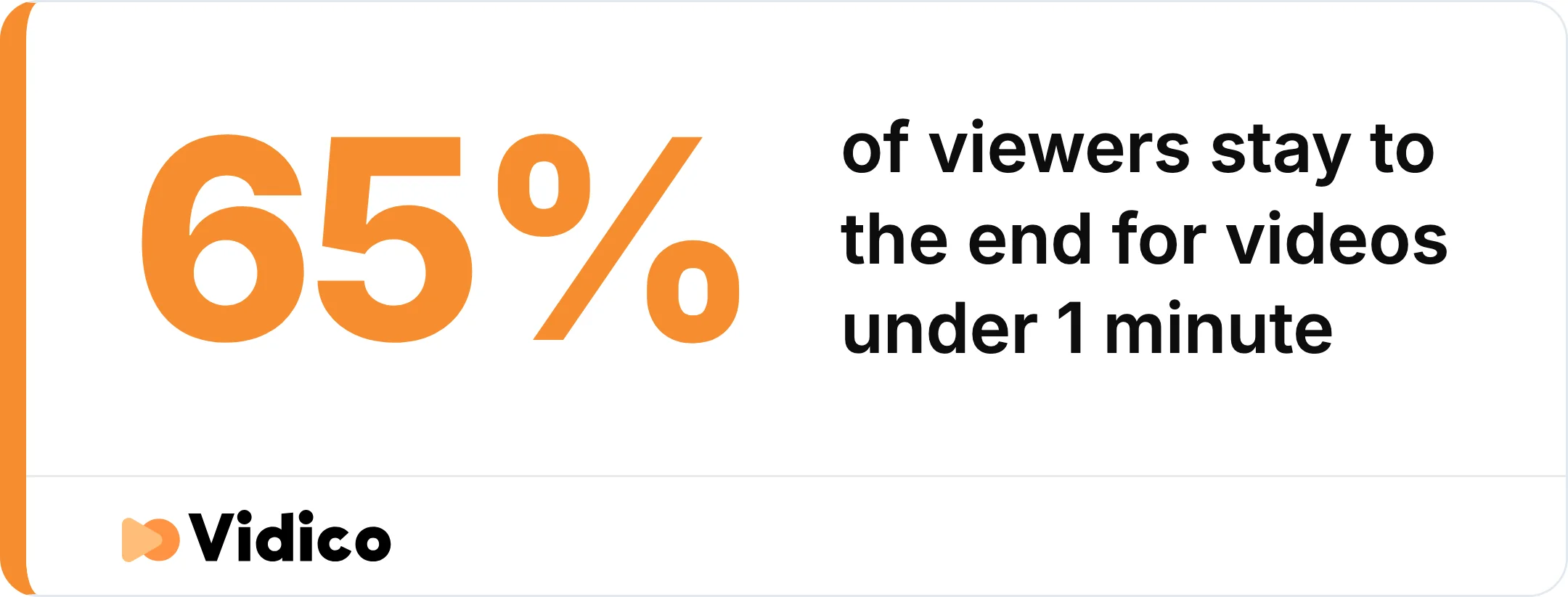
Shorter tech explainer videos hold far more viewers to the end. Source: Vidyard.
How much does a tech explainer video cost?
A tech explainer video costs $2,000 to $15,000 as of 2026. Animated explainers run $3,000 to $15,000 and live-action explainers run $2,000 to $8,000, depending on length, complexity, and how custom the work is.
Should a tech explainer be animated or live-action?
Choose based on your product. Animation suits abstract software, cloud tools, and data-heavy concepts because it can visualize what a camera cannot. Live-action and screencast suit product tours, onboarding, and humanizing a brand, where showing real people or the actual interface builds trust. Mixed media combines both.
Can I repurpose a tech explainer video across channels?
Yes, and you should. A well-produced explainer can be cut into short social clips, embedded on landing pages, added to email and sales decks, and used in onboarding. Plan for multiple platforms from the start, producing different lengths and aspect ratios during the same production rather than as afterthoughts.
Are AI or DIY explainer tools good enough?
AI and DIY tools work for a first draft, an internal video, or a tight budget. They fall short on the strategy and craft that make an explainer convert: deciding the problem to lead with, structuring the story, and keeping one clear idea. For a video that has to sell or onboard, human-led production still wins. You can check your estimate with our pricing quiz to compare.
The Bottom Line
The best tech explainer video examples all do the same thing: they name a real problem fast, pick one clear idea, and match the style to the product. Whether it is Dropbox reducing cloud storage to moving shapes or HoneyBook lifting signups with a tested explainer, the win comes from strategy and story, not spend.
At Vidico, we build tech explainer videos for B2B SaaS teams, from HoneyBook’s waitlist explainer to Cascade’s brand film that held a 93% view rate. If you are planning your next one, book a free strategy session to talk through your product, audience, and goals.