
Creating effective instructional videos that actually drive engagement is harder than most production teams expect. With 65% of people being visual learners, your target audience craves animated instructional videos that simplify complex concepts—yet most instructional video examples fail to balance educational value with viewer retention.
Whether you’re producing tutorial videos for employee training, how-to videos for customer education, or product videos for new users, your video content must deliver clear instructions while maintaining user engagement.
At Vidico, we’ve created instructional videos that have generated over 1.4 billion views across 1,200+ projects for brands like TikTok, Square, and Spotify. Below, we break down 9 animated instructional video examples that demonstrate how effective instructional videos combine visual storytelling, clear and concise messaging, and engaging animation styles to transform complex ideas into content accessible for a broader audience.
Ideal for educators, instructional designers, and anyone interested in the intersection of learning and technology, these videos serve as a blueprint for effective and captivating educational content.
Key Takeaways:
- Animated instructional videos help visual learners retain complex concepts 65% better than text-based content
- Professional instructional video examples typically cost $3,000-$15,000, depending on animation complexity and length
- The best tutorial videos and how-to videos use clear instructions, visual storytelling, and step-by-step process demonstrations
- Educational videos for employee training and customer education should focus on key features and easy-to-follow steps
- Product videos that shoot product videos with high production value drive higher user engagement than static content
- Effective instructional content balances visual elements, background music, and concise messaging to keep viewers engaged
Content
The Power of Animated Instructional Videos
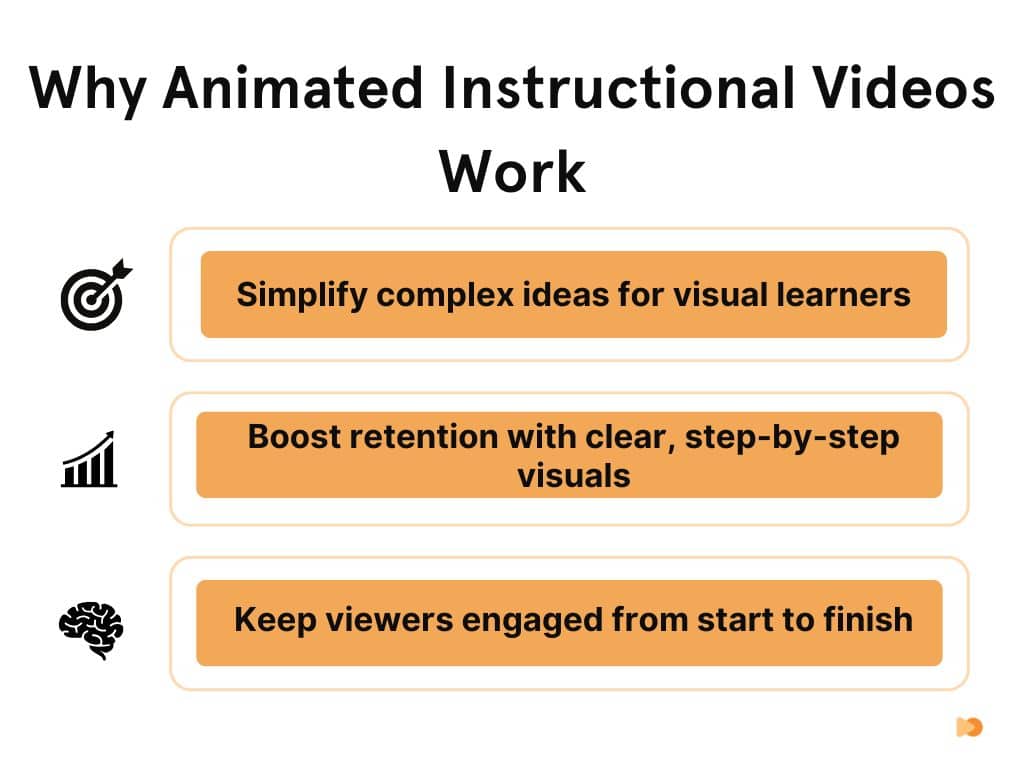
One of the key advantages of animated instructional videos is their ability to simplify complex concepts. Animation provides a visual playground where abstract ideas can be made tangible and intricate processes can be broken down into manageable steps. For instance, a video could use animation to illustrate the operation of a complex machine or the process of photosynthesis. By doing so, it allows viewers to understand the concept at a glance, without getting bogged down by technical jargon.
Moreover, the engagement factor of animated instructional videos is unparalleled. Animation has a certain charm that draws people in. It’s dynamic, colorful, and can be tailored to match the tone and style of the content. Whether it’s a fun, whimsical animation for a baking tutorial or a sleek, professional one for a software how-to, the animation style can greatly enhance viewer engagement. Viewers are more likely to watch, understand, and remember the content, making animated instructional videos a powerful teaching tool.
Criteria for a Great Animated Instructional Video
Creating an exceptional animated instructional video involves careful consideration of several key factors. Here’s what makes an animated instructional video truly stand out:
- Clear Instructions: The backbone of any instructional video is its clarity. The steps or concepts must be communicated in an easy-to-understand manner. Avoid using overly complicated terminologies or jargon that might confuse the viewers.
- Engaging Visuals: The visuals should enhance the message of the video, not distract from it. They should be relevant to the content, visually appealing, and assist in explaining the instructions. For example, an animation showing each step of a science experiment can make it easier for viewers to follow along.
- Concise Content: In today’s fast-paced world, brevity is key. An effective instructional video gets straight to the point, delivers the necessary information efficiently, and wraps up without dragging on. It respects the viewer’s time while ensuring they gain the knowledge they seek.
- Appropriate Animation Style: The animation style should align with the tone and subject matter of the video. A fun, whimsical animation might work great for a baking tutorial, while a sleek, professional one would be more fitting for a software how-to video.
- Engagement Factor: The video should be designed in a way that captivates viewers and holds their attention from start to finish. This could be achieved through the use of humor, storytelling, interesting facts, or interactive elements.
Comment “hook me up” on this LinkedIn post to access 100+ high-performing video hooks.
9 Best Animated Instructional Video Examples
1. Your Next Computer Is Not a Computer (iPad Pro)
The iPad Pro video, titled “Your Next Computer Is Not a Computer,” is an excellent example of merging instructional content with engaging marketing. The video skillfully presents the iPad Pro’s features, shifting from traditional feature enumeration to a narrative that captures the viewer’s interest and imagination. This approach demonstrates Apple’s mastery in creating custom animated marketing content that not only informs about the product but also intrigues and engages the audience.
Moreover, the video highlights the transformative aspect of the iPad Pro, suggesting it’s more than just a tablet—it’s a new kind of computing device. This messaging strategy is effective in positioning the iPad Pro as a groundbreaking product, captivating potential customers’ attention and encouraging them to explore further. The video’s ability to seamlessly blend product education with compelling marketing makes it a benchmark in the tech industry.
Download a free video script to kickstart your next creative project.
2. The Guardian Labs & O2 – In Your Pocket (Be My Eyes App)
The Guardian Labs & O2’s video for the Be My Eyes app is a heartwarming and informative piece that effectively uses animation to convey the app’s purpose and functionality. It stands out with its friendly design and approachable narrative, explaining how the app assists people who are blind or partially sighted. This video exemplifies how animated instructional content can be used to explain and promote assistive technologies in an empathetic and engaging way.
In addition to its instructional value, the video also raises awareness about the challenges faced by people with visual impairments. By showcasing how technology can be leveraged to create more inclusive solutions, the video inspires and educates a broader audience. It’s an excellent example of using animated videos to foster understanding and empathy for important social causes.
3. BRIO Builder – Design, Build, Repeat
The BRIO Builder instructional video is a creative exploration of how to present toy products in an engaging and educational manner. It demonstrates the assembly and potential of BRIO Builder toys, using animation to make the process fun and appealing. The video is tailored to capture the imagination of both children and adults, illustrating the versatility and enjoyment of building with BRIO toys.
This video also serves as an excellent example of how instructional content can be both informative and entertaining. By transforming the potentially mundane process of assembly instructions into an engaging narrative, BRIO effectively increases the appeal of its products. The video’s approach to instructional content is particularly relevant for products aimed at younger audiences, where engagement and fun are key to successful communication.
4. What is Figma?
The “What is Figma?” video serves as an informative introduction to Figma as a collaborative design tool. It focuses on Figma’s main benefit of facilitating teamwork and unity among creative teams, regardless of their physical location. The video uses clear, concise messaging and visuals to explain how Figma streamlines the design process, making it an invaluable resource for teams looking to collaborate efficiently.
Furthermore, the video is an excellent case study of marketing a technical product in an accessible way. It breaks down the complexities of design software into understandable segments, making it appealing not just to design professionals but also to a broader audience. This approach demonstrates the power of instructional videos in demystifying complex technologies and promoting user adoption.
5. Dot Shop
The Dot Shop video is a compelling demonstration of how an animated instructional video can also serve as an effective marketing tool. It educates viewers about the benefits of owning a Dot Shop domain, emphasizing its unique selling points. The video cleverly intertwines instructional content with marketing strategies, illustrating how a product’s features can be showcased in a way that resonates with the audience and encourages them to make a purchase decision.
Moreover, the Dot Shop video exemplifies effective communication techniques. It focuses on a single, strong idea, presenting a clear and concise message that is easy for viewers to grasp. This approach is crucial in the digital domain where attention spans are short and clarity is key. The video’s blend of informative content and persuasive marketing demonstrates the potential of animated instructional videos in digital marketing campaigns.
Toggl increased conversion rates by 32% and reduced cost-per-acquisition by 27% using our video system for their product launch campaign → See our work
6. Travel The Vote
“Travel The Vote” is an animated video that addresses the instructional gap experienced by voters during the 2016 elections. It showcases common errors and omissions in voting procedures, providing clear and concise instructions to rectify these issues. The video’s primary goal is to educate voters, ensuring they are better prepared for future elections. Its unique concept and engaging presentation make it a valuable tool in voter education.
Additionally, the video challenges the notion that instructional content has to be dull. By presenting vital voting information in an engaging and stimulating manner, it motivates viewers not just to learn but to apply these instructions in real-life voting scenarios. The video’s ability to convey a simple message without overwhelming details enhances its educational impact and motivates viewers to act responsibly in future elections.
7. Google Assistant
Google Assistant’s instructional video showcases the app integration feature, adhering to Google’s signature approach of simplicity and clarity. The video uses Google’s iconic design elements to present information in an accessible and user-friendly manner, making it easy for a broad audience to understand. This strategy enhances brand recognition and reinforces Google’s position as a leader in creating user-centric instructional content.
The video also demonstrates the importance of clear and concise messaging in educational content. By maintaining a straightforward approach and avoiding unnecessary complexities, Google ensures that the viewers remain engaged and absorb the information effectively. This approach is especially effective in technology-related instructional content, where clarity is essential for user understanding and adoption.
8. Meet Asana
Asana’s marketing video is an excellent example of how motion graphics can be used to transform complex ideas into simple, digestible content. The video effectively demonstrates Asana’s features and functionalities, using animation to guide viewers through the software. This approach makes the content accessible and engaging, showcasing the power of visual storytelling in corporate communication.
Moreover, Asana’s video is a source of inspiration for creative content creation. It illustrates the potential of animation to convey messages clearly, concisely, and effectively. This is particularly crucial in today’s fast-paced digital environment, where attention spans are limited, and clear communication is key. The video serves as a model for anyone looking to create effective instructional content in the tech industry.
Interested in our design system concept? Learn more about Vidico’s 10x Approach to creative production.
9. IKEA – Motion Language
IKEA’s “Motion Language” instructional video for its app is a stellar example of concise and effective communication. The video demonstrates the main actions and features of the IKEA app, blending visuals and sound design to create a user-friendly experience. This approach not only makes the instructional content more efficient but also ensures that the audience easily understands the app’s key functionalities.
The video also highlights the importance of integrating sound design in instructional content. The combination of visual elements with auditory cues creates a more dynamic and memorable learning experience. This synergy keeps the viewer engaged and aids in better retention of the information. IKEA’s approach to instructional video design serves as a valuable example for anyone looking to create content that is both informative and appealing.
Types of Instructional Videos That Drive Results
Tutorial Videos and How-To Videos
Tutorial videos teach specific skills through step-by-step process demonstrations. How-to videos answer common questions your target audience asks, showing exactly how to complete tasks. These instructional video examples work well for software walkthroughs (like the Figma video), explaining complex software features, or demonstrating product assembly. Use screen recordings, visual metaphors, and clear instructions to create tutorial videos that drive user understanding.
“The magic of our animation and post-production is that we can easily change things like product screens, languages, or even the entire visual composition, allowing for flexibility and localization even after production is done.” – Evan Pirone, Creative Director, Vidico
Animated Training Videos for Employee Training
Animated training video content simplifies employee training programs, from onboarding new users to explaining HR processes. Training videos using animation style choices help employees absorb complex concepts without overwhelming detail. The best training videos for employee management combine real-world scenarios with visual storytelling to make instructional content memorable and applicable.
Educational Videos for Customer Education
Educational videos help customers understand products, services, or industry concepts. Unlike product videos that focus on features, educational videos build knowledge that positions your brand as an authority. The article showcases how educational videos like “Travel The Vote” inform broader audiences about important topics, demonstrating how instructional content can serve both commercial and social purposes.
Product Videos That Showcase Key Features
Product videos highlight the product’s features through engaging demonstrations. When you shoot product videos, focus on how products solve problems for your target audience. The iPad Pro video demonstrates this perfectly—it’s not just showing features, it’s reimagining what a computer can be. Effective product videos combine visual elements with clear and concise messaging about key features.
Explainer Videos for Complex Concepts
Explainer videos transform complex ideas into digestible visual storytelling. Whether explaining technical concepts, complex software functionality, or intricate processes, explainer videos use animation to create content accessible for visual learners. These instructional video examples excel at simplifying what would require pages of text into engaging video content.
Tutorial Videos for Software and Tools
Software tutorial videos like “What is Figma?” and “Google Assistant” show how-to videos can demystify complex software. Use screen recordings, interface highlights, and easy-to-follow steps to guide users through functionality. These video examples demonstrate how effective instructional videos balance comprehensive coverage with concise messaging.
Training Videos for Specific Programs
Training programs require specialized instructional videos tailored to particular objectives. Whether onboarding employees, teaching fire safety protocols, or explaining task management systems, training videos should align with your training programs’ goals. The motion-language approach in IKEA’s video demonstrates how focused instructional content can efficiently convey specific functions.
Want to see more of our work? Explore our portfolio featuring projects for leading tech brands.
FAQs
How much does it cost to create animated instructional videos?
Professional animated instructional video examples typically cost $3,000-$15,000, depending on length, animation complexity, and production value. Simple tutorial videos or how-to videos with basic animation start around $3,000-$5,000. Complex training videos for employee training programs with custom animation, interactive elements, and high production value range from $8,000-$15,000+. Your production team’s experience and your target audience’s expectations influence final costs.
What’s the difference between tutorial videos and training videos?
Tutorial videos teach specific skills or how to complete particular tasks—they’re typically shorter how-to videos focused on one step-by-step process. Training videos are comprehensive instructional videos designed for employee training programs, covering multiple topics, real-world scenarios, and often including assessment components. Both animated instructional video examples serve educational purposes, but training videos for employee management require more strategic planning than standalone tutorial videos.
How long should instructional video examples be?
Effective instructional videos typically run 2-5 minutes for tutorials and how-tos. Complex software demonstrations or training videos for employee training may extend to 8-10 minutes. The key is concise messaging—keep your particular video as brief as possible while covering key points. Visual learners retain more with shorter, focused video content than with lengthy, comprehensive instructional videos, which lose user engagement.
Should I use animated training videos or live-action for employee training?
Animated training video content works best for explaining complex concepts, technical concepts, and abstract processes where visual metaphors simplify understanding. Live-action training videos excel for demonstrating physical tasks, building personal connection, or showing real-world scenarios with actual employees. Many effective instructional videos combine both—using animation for complex ideas and live footage for human elements that require authentic demonstration.
How do I create my own instructional video content that drives user engagement?
Start by understanding your target audience and what complex concepts they struggle with. Develop clear instructions using a step-by-step process format. Work with a professional production team or use reliable tools to ensure high production value. Include visual elements, smooth transitions, and background music that maintains viewers’ engagement. Test your instructional video examples with real users from your target audience to gather feedback on user understanding and improve retention before finalizing the video content.
What animation style works best for instructional videos?
The animation style should match your target audience and the video content’s purpose. Clean, minimal styles work for complex software tutorial videos (like the Figma video). Playful, colorful animation suits how-to videos for everyday tasks or content targeting broader audiences. Professional, sleek styles fit product videos and training videos for employee training. Review instructional video examples from your industry to identify animation styles that resonate with your particular target audience.
How do instructional videos improve customer education?
Instructional videos improve customer education by making complex ideas accessible through visual storytelling and easy-to-follow steps. Educational videos help new customers understand a product’s features faster than text manuals. Video content demonstrates real-world scenarios showing how products solve problems. This approach to customer education drives better retention, reduces support requests, and improves user understanding—especially for visual learners who comprise 65% of your target audience.
Conclusion
These examples demonstrate the power of animation to simplify and enhance instructional content. From tying a tie to mastering astrophysics, navigating complex software, or perfecting a rice dish, animation makes learning engaging, accessible, and enjoyable. The use of visuals not only aids comprehension but also increases retention of the material, making it a highly effective tool for instruction.
Ready to create instructional videos that transform how your target audience learns? Try the VidiFit quiz to get a clear pricing range, or book a free video strategy session today. With our expertise in visual storytelling and clear and concise messaging, we’ll help you create video content that makes learning effective, accessible, and enjoyable for visual learners across global audiences.