As a product or marketing leader, you’re facing a critical challenge: even brilliant apps fail when users don’t immediately understand their value. Research shows that 77% of downloads are abandoned within 72 hours, resulting in wasted acquisition costs and missed revenue opportunities.
At Vidico, we’ve produced 2,000+ campaigns for tech brands like TikTok, Square, and Airtable — and app explainer videos remain one of the highest-converting video types we create. Yet only 17% of video marketers currently produce app demo videos, despite 80% of consumers saying they’ve downloaded an app after watching one. That gap is your opportunity.
In this guide, we’ll analyze the most effective app explainer video examples, break down the specific creative and strategic elements that made them successful, and provide a framework for creating high-converting app videos based on your specific business objectives.
Key Takeaways
- 80% of people have bought or downloaded an app after watching an app explainer video — yet only 17% of marketers produce them, making this one of the most underutilized video types in 2026
- The best app explainer videos follow a Problem → Solution → Proof → CTA structure that keeps viewers engaged and drives action within 60-90 seconds
- Choosing the right explainer video type (animated explainer video, screen recording, live action video, or hybrid) depends on your app’s complexity and your target audience’s technical sophistication
- A single app explainer video production should yield 5-10+ assets across your website, App Store listing, social ads, and onboarding flow when planned from the start
Content
Top 10 Effective Explainer Videos for Apps
1. Hibob: Mobile App
Hibob partnered with Vidico to create an animated explainer video showcasing their mobile HR platform for remote and distributed teams. The app brings company insights, timesheet management, and coworker interactions into a single mobile experience.
We crafted a 2D animated explainer using Illustrator and After Effects that brought Hibob’s product to life through clean visuals and thoughtful visual storytelling. Hand-drawn storyboards added an expressive layer during the creative process, helping us map the narrative before any animation began.
Want to see how we approach content at scale? Check out our video on The Way to 100x Content
What Makes It Stand Out:
- 2D animation created with Illustrator and Adobe AfterEffects showcases the power of visual storytelling and can inspire you to explore different animation techniques.
- The hand-drawn storyboards in the demo demonstrate the impact of storytelling in capturing viewers’ attention.
When Hibob needed an app demo video to showcase its mobile HR platform for remote teams, they partnered with Vidico.
We crafted a sleek 2D animated explainer—built with Illustrator and After Effects—that brought their product to life through clean visuals and thoughtful storytelling.
Hand-drawn storyboards added an expressive layer, helping us highlight key features like timesheet management, company insights, and seamless coworker interaction.
The result? A visually rich, high-converting demo that clearly communicates Hibob’s value in a remote-first world.
Strategic Takeaway: App demos perform best when they follow a narrative structure rather than feature lists. Our data shows that story-based demos achieve 43% higher completion rates and drive significantly stronger user adoption than traditional feature-focused videos.
Hibob increased mobile app adoption by 37% and reduced support tickets by 23% after implementing our explainer video → See our work
2. Shopboxo: Animated Video
The Shopboxo app explainer video brings the app’s core value to life through dynamic animated visuals. Our animated video shows the exact process of setting up a mobile website in just thirty seconds using the Shopboxo app — demonstrating speed and simplicity through engaging visuals and smooth flow rather than static screenshots.
What makes this explainer video stand out:
- The video shows the app’s user interface and briefly demonstrates how entrepreneurs and sellers can use key features — keeping the focus on benefits rather than a technical walkthrough
- The animated explainer video highlights Shopboxo’s free offering prominently, creating a low-friction CTA that encourages viewers to try the app immediately
- Bright colors and quick transitions match the energy of the app’s target audience (small business owners who want fast results)
Strategic takeaway: For app explainer videos promoting freemium products, leading with the free value proposition in the first 10 seconds dramatically increases conversion. The video script should make the path from watching to downloading feel effortless.
3. Vidi: Intro Video
Vidi’s intro video combines motion graphics with live action elements to demonstrate the all-in-one video maker app for e-commerce. The video shows real people using the app alongside animated UI demonstrations — creating a hybrid approach that builds emotional connection while clearly explaining functionality.
What makes this explainer video stand out:
- The hybrid format (live action video + animated overlays) creates a dynamic viewing experience that holds attention longer than pure animation or pure screen recording alone
- The video simultaneously demonstrates and explains the app’s benefits, allowing potential customers to understand the value proposition while seeing the product in action
- Footage of real e-commerce creators using the app adds authenticity and helps viewers picture themselves using it
Strategic takeaway: Hybrid app explainer videos that blend live footage with animated elements work best when you need to build both emotional connection and product understanding. This video type is particularly effective for creative tools and consumer-facing apps where personality matters.
See how we produce app videos and product demos for tech brands — browse our portfolio of app explainer video examples.
4. Payright
Payright’s app explainer video captures attention with an upbeat, fast-paced style designed specifically for social media distribution. The demo shows how the Australian payment plan app works on mobile devices through rapid visual storytelling — and it delivers the entire core message without a single word of voice over.
What makes this explainer video stand out:
- The video effectively communicates its message without voiceover, relying entirely on concise text overlays and visual cues — making it perfect for silent autoplay in social feeds
- The fast-paced editing style matches the energy of the mobile phone experience, with scene changes every 2-3 seconds that keep viewers engaged
- Bold typography and high-contrast colors ensure the video is visually appealing even on small screens
Strategic takeaway: Designing app explainer videos for silent viewing isn’t optional — it’s a requirement. With most social video watched on mute, the best app explainer videos deliver their complete message through text and visuals alone. Background music and sound effects are a bonus, not a dependency.
5. FreshBooks: Mobile App Explainer Video
FreshBooks partnered with Vidico to produce a series of app video productions that prioritize the user interface. These explainer video examples use abstracted and simplified product screens to showcase the app’s user-friendly design while highlighting how FreshBooks streamlines accounting for self-employed professionals.
What makes this explainer video stand out:
- The UI-focused approach uses product UI elements combined with animation to make the interface feel clean and inviting rather than overwhelming
- Typography highlights key features and messages throughout — a technique that works especially well for app explainer videos designed for silent autoplay on social media
- Photo icons add a human touch to what could otherwise feel like a dry product walkthrough, making the video visually appealing and relatable
Strategic takeaway: For apps with complex interfaces (accounting, project management, analytics), abstracted UI demos that simplify the screen recording into clean animated scenes outperform raw screen captures. The demo shows the experience of using the app, not just the app itself.
Want to master your creative brief process? Get our Creative Brief Template to streamline your next project.
6. Pleo
Pleo’s app explainer video highlights their Capture Cards and Receipts functionality through a visually engaging demo. The video demonstrates how it eliminates manual expense reporting — a pain point that resonates immediately with finance teams and business owners.
What makes this explainer video stand out:
- The video contrasts the old way (paper receipts, manual spreadsheets) against the new way (snap a photo, done) — this before-and-after structure is one of the most effective explainer videos frameworks for workflow apps
- Creative visual storytelling techniques show complex expense management processes as simple, streamlined steps
- The explainer video focuses on time saved rather than features listed, which resonates with decision makers who care about outcomes over specifications
Strategic takeaway: For apps that replace manual workflows, directly contrasting the “before and after” experience creates powerful motivation for adoption. Show the pain points first, then demonstrate how the app works to eliminate them.
7. Shift Go
The Shift Go explainer video captivates viewers with its visually stunning content, showcasing the app’s power to revolutionize workforce management. We created captivating visuals and a compelling storytelling approach with a clear call to action on how Shift Go empowers businesses to streamline their workforce operations.
The explainer video highlights Shift Go’s user-friendly interface and functions, captivating viewers and showcasing the app’s ability to amplify and optimize workforce management processes.
What Makes It Stand Out:
- Shift Go explainer video showcases dynamic visual storytelling techniques that can inspire you to think creatively and explore innovative ways to tell your app’s story through captivating visuals in your promotional explainer videos.
- The video effectively demonstrates the user-centric interface of the Shift Go app, inspiring you to prioritize intuitive design and seamless user experiences in your own app videos. It encourages you to showcase the app’s ease of use, the accessibility of features, and the overall value it brings to users, emphasizing the importance of a user-focused approach.
8. CryptoHopper
The CryptoHopper animated explainer video combines visually engaging graphics with a compelling narrative to demonstrate automated cryptocurrency trading. The video breaks down complex concepts — algorithmic trading, market analysis tools, predefined parameters — into accessible visuals that work for both novice and experienced traders.
What makes this explainer video stand out:
- Dynamic motion graphics and animation bring abstract trading concepts to life without relying on technical jargon — a great example of how to simplify complex topics through visual storytelling
- Clear narration provides a voice over that guides viewers through each feature while the animation demonstrates the app in action
- The video balances educational content with promotional messaging, building trust before asking for conversion
Strategic takeaway: For app products in complex industries (fintech, crypto, healthcare, enterprise software), the explainer video needs to educate before it sells. Use animated explainer videos to turn complex ideas into visual stories that build confidence in the product.
9. Payk
The Payk explainer video captivates viewers with its visually appealing graphics and relatable storytelling. It effectively showcases the app’s ability to amplify and streamline group payments. The video production demonstrates creativity and attention to detail, ensuring that Payk’s key features and benefits are effectively communicated.
The explainer video blends engaging visuals, informative animations, and a clear narrative, showcasing Payk’s user-friendly interface and intuitive functionalities. Our app demo video production services carefully crafted each scene to highlight the app’s ability, which benefits new and recent app users.
What Makes It Stand Out:
- Payk’s demo video begins with a cohesive story that resonates with viewers and Google Play users. It inspires you to craft compelling narratives. It encourages you to develop clear and engaging scripts that take the viewer on a journey, highlighting the function and benefits of your application or software in a captivating and memorable way.
- The app demo video effectively conveys the benefits and value of Payk, inspiring every viewer to take action. It encourages you to consider and inspire viewers to engage with your business app or software through demo videos.
10. Momatu
The Momatu hybrid app demo captivates viewers with its seamless blend of live-action footage, animations, and graphics. It effectively showcases mobile apps’ benefits and the emotional connection they foster among families.
Our Vidico team displayed creativity and meticulous attention to detail, ensuring a visually compelling and emotionally resonant final product.
We expertly combine live-action footage of families capturing and sharing special moments with captivating animations and graphics that enhance the storytelling of the app demo video. Carefully integrating these elements creates a dynamic and engaging visual experience that captures the user’s view and user’s the essence of Momatu.
What Makes It Stand Out:
- Hybrid app videos effectively use storytelling to evoke emotions and connect with viewers.
- The app video showcases the seamless integration of live-action footage and animations, demonstrating how these elements work harmoniously together.
- The app explainer videos highlight the importance of family connections and preserving precious memories, inspiring you to consider your product or service’s emotional impact and sentimental value.
Get your free video marketing plan tailored to your funnel and business goals.
What are Mobile App Explainer Videos?
An app demo video is a short video that showcases the functionality and user interface of a mobile or web application. It visually demonstrates how the app works and highlights its key capabilities.
App demos can be a helpful tool for new users, as an explainer video shows how the application works. They are also the best solution if you want to upload and download feature improvements and version releases of an app that will be released on social media networks.
Types of App Explainer Videos: How to Choose
Animated Explainer Videos
Best for apps that solve abstract problems or need to simplify complex ideas. An animated explainer video gives you complete creative control — every frame can be designed to support your brand and message. This is the most popular format for SaaS and B2B apps because animation can visualize workflows, data flows, and processes that are difficult to capture on a computer screen.
Use when: Your app solves a problem that’s hard to film, your product is still in development, or you need to explain how the product works at a conceptual level before showing the actual interface.
Screen Recording and Product Demo Videos
Best for apps with strong, intuitive interfaces that sell themselves visually. A screen recording walkthrough shows the exact process a user follows inside the app — nothing is abstracted or simplified. This video type works well for technical audiences who want to see the real product before committing.
Use when: Your app has a polished UI that’s ready for close-up viewing, your audience is technically sophisticated, or you’re creating product demos for bottom-funnel prospects who are close to a decision.
Live Action Explainer Videos
Live action explainer videos use real people in real settings to demonstrate how the product fits into daily life or work. This format builds emotional connection and trust more effectively than animation because viewers see themselves reflected in the characters featured on screen. Live action video works particularly well for consumer apps, lifestyle apps, and products where the human experience matters as much as the technology.
Use when: Your app’s value is best understood through real-life scenarios, you’re reaching a non-technical audience, or brand storytelling and emotional resonance are priorities.
See what your competitors are saying—and what they’re not—in the Creative Intelligence Report.
Hybrid Videos (Animation + Live Action)
The most versatile demo video type combines live footage with animated overlays, motion graphics, or product UI elements. This format lets you build emotional connection through real people while using animation to explain how the product works technically. Many of the best explainer videos in 2026 use this hybrid approach.
Use when: You need both emotional appeal and technical explanation, you’re targeting multiple audience segments, or your app bridges physical and digital experiences.
Stop Motion and Whiteboard Explainer Videos
Less common but effective for specific use cases. Stop motion creates a tactile, handcrafted feel that stands out from polished digital animation. Whiteboard explainer videos work well for educational content where the video develops ideas progressively — each concept building on the last in a smooth flow that mirrors how the app works.
Use when: You want a distinctive visual style that stands apart from other videos in your category, or your app’s value proposition is best explained through step-by-step visual development.
Benefits of App Explainer Video
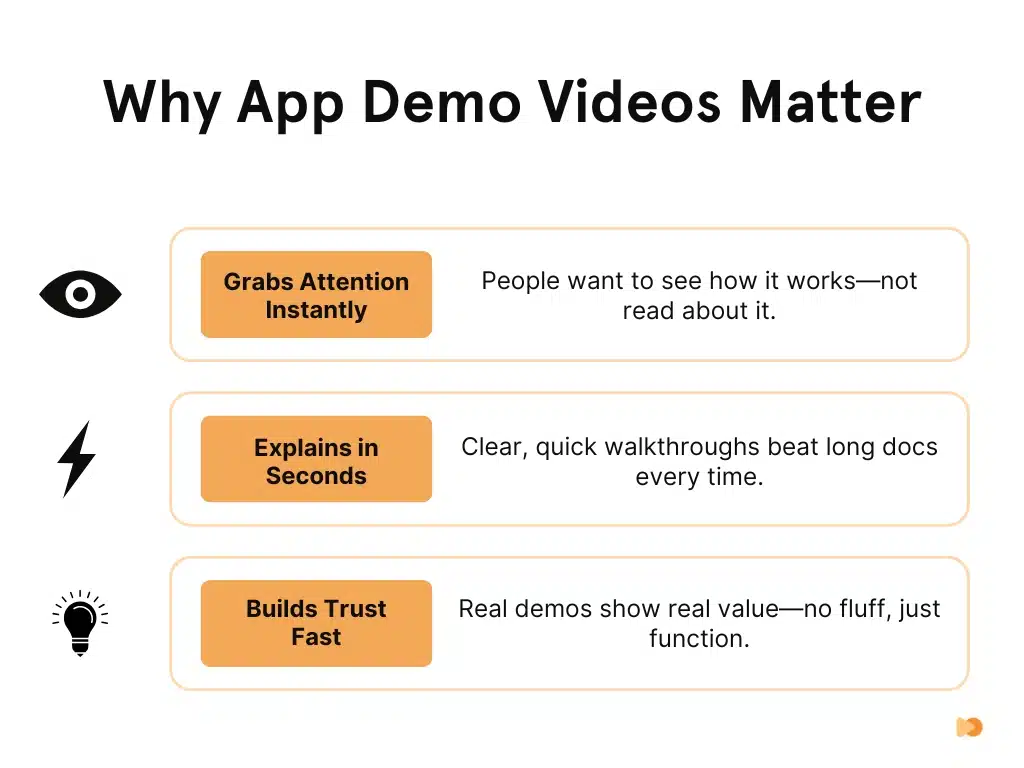
- Increased App Downloads: 64% of consumers are likelier to download an app after watching a well-crafted explainer video.
- Higher User Retention: Mobile app explainer videos boost user retention rates by 35%, helping users understand the app’s features and reducing early abandonment.
- Enhanced Customer Loyalty: A clear, engaging video fosters trust and customer loyalty, effectively communicating your app’s value proposition.
- Improved User Experience: A seamless onboarding experience through a video helps users quickly understand the app, leading to long-term engagement.
- Sustained Business Growth: Investing in a high-quality explainer video increases downloads, retention, and customer loyalty.
View Vidico’s case studies and see how we’ve helped brands like TikTok and Airtable scale their content.
How to Create an Effective App Explainer Video
Write the Video Script First
The video script is where most app explainer videos succeed or fail. Before any animation, recording, or on-set filming begins, nail the script. Write conversationally — as if you’re explaining the app to a friend, not presenting to a boardroom. Avoid technical jargon unless your audience expects it.
A strong script follows the problem-first framework above, stays under 150 words for a 60-second video, and reads naturally when spoken aloud. If the script doesn’t work as a standalone piece of writing, the video won’t work either.
Keep It Short
The most effective app explainer videos in 2026 run 60-90 seconds for website and inbound content. For paid social ads, 15-30 seconds. For App Store previews, under 30 seconds. Average video length across the industry has dropped from 168 seconds to 76 seconds since 2016 — and it’s still falling.
Every second needs to earn its place. If a scene doesn’t advance the story, cut it. The best explainer videos feel complete at 60 seconds because every frame delivers value.
Design for Silent Viewing
Most explainer videos are watched without sound on social platforms and in app store listings. Design your video to deliver its complete message through visuals, text overlays, and animation alone. Background music and sound effects should enhance the experience for viewers who have audio on — but the core message must land without them.
Plan for Multi-Asset Delivery
A single explainer video production should yield multiple assets when planned from the start:
- 60-90 second hero video for your website landing page
- 15-30 second App Store and Google Play preview
- 6-15 second social media cutdowns for paid ads
- Full-length product walkthrough for your sales team
- Still frames for app store screenshots and social thumbnails
- Vertical (9:16) and square (1:1) versions for different platforms on mobile phone screens
When you build this multi-asset approach into pre-production, one video investment generates 5-10+ usable pieces of video content. This is how we approach every app video project at Vidico — building Content Engines that turn a single production into creative infrastructure that compounds in value across channels and future projects.
For professional explainer videos that stand out across different industries, the video creation process matters as much as the final output. The best explainer video examples — whether from Vidico or other videos in this roundup — demonstrate that an effective marketing strategy starts with the right video format and encourages viewers to take a specific action. When a video stands on its own as a piece of visual storytelling, it delivers results regardless of where it plays.
Also read: App Onboarding Video Examples
If you’re scoping a similar project, Vidico’s mobile app explainer video production service covers the same App Store-ready deliverables these examples use.
FAQs
How much does an app explainer video cost?
Demo video costs range from $1,000 to $50,000+ depending on the video type, length, and complexity. A simple animated explainer video with basic motion graphics typically costs $3,000-$8,000. A professional animated explainer with custom illustration and voice over runs $8,000-$20,000. Live action explainer videos with filming, talent, and post-production start around $10,000-$25,000. Hybrid videos combining live action footage with animation sit at the higher end. For ongoing app video needs, subscription models starting at $5,000/month offer a lower per-asset cost than project-based pricing. The key cost driver isn’t production quality alone — it’s the strategy and scripting behind the video.
How long should an app explainer video be?
For website landing pages and inbound marketing, 60-90 seconds is the sweet spot where most explainer videos perform best. App Store and Google Play previews should be 15-30 seconds (Apple limits previews to 30 seconds). Social media ads perform best at 15-30 seconds. Product demos for sales teams can run 2-3 minutes since the viewer has already expressed interest. The overall trend is toward shorter: average video length has dropped from 168 seconds to 76 seconds since 2016. If your app explainer video runs longer than 90 seconds, every additional second needs to earn its place with genuine value for the viewer.
What makes an effective app explainer video?
The most effective app explainer videos share four key elements: they open with a specific pain point the viewer recognizes (not a feature list), they demonstrate the app solving that problem with clear visuals, they include at least one proof point (downloads, customer logos, ratings), and they close with a specific CTA. Beyond structure, production quality matters — 89% of consumers say video quality impacts their trust in a brand (Wyzowl, 2026). That doesn’t mean expensive production — it means professional look, clear audio, and engaging visuals that match your brand.
Should I use animation or live action for my app explainer video?
It depends on your product and audience. An animated explainer video works best for abstract products, complex concepts, and apps still in development. Live action explainer videos work best for consumer apps, lifestyle products, and situations where emotional connection matters. Live action footage combined with animated overlays (hybrid) offers the best of both worlds for apps that need both technical demonstration and human warmth. Screen recording works best for apps with strong, intuitive interfaces that a technical audience wants to see in action. Most brands benefit from testing multiple animation types across different channels to find what resonates with their specific potential customers.
Can one app explainer video work across all platforms?
Not optimally. Different platforms have different technical requirements, audience behaviors, and viewing contexts. Your website hero video (60-90 seconds, landscape) won’t perform the same as a YouTube pre-roll (15 seconds, skippable), an App Store preview (under 30 seconds, silent autoplay), or a social ad (vertical, 15-30 seconds). The solution is planning for multi-format delivery during production — shooting or animating with multiple cuts in mind so one production yields platform-specific versions. This is more efficient than creating each video separately.
Do app explainer videos actually increase downloads?
Yes — and the data is clear. According to Wyzowl’s 2026 research, 80% of people have bought or downloaded an app after watching an app demo video. Landing pages with explainer videos convert up to 86% better than pages without video. And 96% of people have watched an explainer video to learn about a product or service. For app products specifically, a well-crafted explainer video reduces the uncertainty that stops potential customers from downloading — they see exactly how the app works and what value it delivers before committing.
What are the most common mistakes in app explainer videos?
Leading with features instead of pain points (viewers need to care about the problem before they care about your solution). Making the video too long (most viewers drop off after 60 seconds). Relying on voice over without visual storytelling (the video should work on mute). Skipping the CTA (every explainer video needs a clear next step). Using technical jargon your target audience doesn’t understand. And producing a single version instead of planning for multi-asset delivery across App Store, website, social, and sales channels.
Final Thoughts
The best app explainer videos in 2026 don’t just look good — they follow proven structures that turn viewers into users. Whether you choose an animated explainer video, a real-world approach, a product walkthrough, or a hybrid format, the principles are the same: lead with the pain point, show the app solving it, prove the value, and close with a clear next step.
Ready to build an app explainer video that drives downloads? Schedule a free strategy session to explore how Vidico’s app video production and Content Engines can turn one production into a complete video system for your app.
References:
- https://www.kapwing.com/resources/115-video-marketing-statistics-for-creators-2026/
- https://www.businessofapps.com/data/app-conversion-rates/