An explainer video storyboard is a scene-by-scene plan that maps what the viewer sees in each frame against the voiceover line and on-screen text that go with it. It is the visual blueprint your team and your animators follow, and it is the cheapest place to fix a problem. Catching a confusing scene on a rough storyboard takes a pencil. Catching it after animation takes a re-render.
At Vidico, we produce explainer videos for SaaS and tech brands like Spotify and Digital Ocean, and storyboarding is part of how we make them. This guide walks through what an explainer video storyboard is, how to make one step by step, which tools to use, and the mistakes that cost the most time.
Key Takeaways
- A storyboard maps visuals to voiceover, frame by frame. Each panel holds one shot: the visual, the line of voiceover it covers, any on-screen text, and a direction note. Read top to bottom, it plays like a comic strip of your video.
- Always start from a finished script. The script decides the message; the storyboard decides how you show it. Boarding before the script is written is a common and costly mistake.
- Rough beats pretty. Stick figures are fine. A storyboard is a thinking tool, not a piece of art, and over-detailing early slows you down and hides the story.
- Storyboard to de-risk the expensive stage. Animation is the costly, time-heavy part of production. Getting sign-off on the board first is where you catch problems while they are still free to fix.
- A short explainer, around 60 to 90 seconds, maps to roughly 10 to 20 frames. Plan pacing and aspect ratio on the board so the finished video fits where it will run.
Content
What Is an Explainer Video Storyboard?
An explainer video storyboard is a sequence of sketched frames that previews how each scene of the video will appear, with the voiceover and on-screen text noted under each frame. It sits in pre-production, after the script and before animation, and it gives everyone involved a shared picture of the video before a single asset is built.
An explainer video storyboard sits in pre-production, after the script and before animation.
Each frame, or panel, is a rectangular box that holds a few things at once:
- The visual. A rough sketch of what the viewer sees in that shot. Stick figures and simple shapes are enough.
- The voiceover line. The line of script that plays over that frame, so the visual and the narration stay in sync.
- On-screen text. Any words, captions, or UI labels that appear in the shot, and when they appear.
- Direction notes. Camera movement, transitions, character actions, and timing. Adobe describes the panel as “a rectangular frame drawn onto a sheet of paper, with separate boxes for notes on dialogue and action.”
Put the frames in order and the storyboard becomes what Adobe calls “a visual bridge between the script or overall concept and the finished animation.” That is the whole job: turn a written script into a picture everyone can agree on.
A storyboard is not the same as a storyline. The storyline is the narrative, the story your video tells in words. The storyboard is the visual plan for showing that story on screen, frame by frame.
In need of creative? Get a quick estimate
Find the right type of creative to meet your marketing goals and get an instant estimation on how much it would cost to produce it.
Why Storyboard an Explainer Video?
Storyboarding an explainer video saves time and money by catching problems before they get expensive to fix. A script alone cannot show pacing, framing, or how a complex idea looks on screen. The storyboard does, and it does it while changes still cost nothing.
- It gives your animators creative direction. A production team cannot start from a script and a blank screen. The storyboard tells them what to illustrate or film in every shot.
- It keeps visuals locked to the message. By pairing each frame with its voiceover line, the storyboard stops the video from drifting away from the point the script is making.
- It de-risks the costly stage. Animation and filming are the work-heavy parts of production. A frame you redraw on the board is free. A scene you re-animate is not.
- It aligns the team early. Stakeholders can review the whole video as a set of frames and give feedback before production locks in, instead of reacting to a near-finished cut.
Storyboarding de-risks the costly stage: changes on the board cost nothing, changes after animation do.
Hand-Drawn vs Digital Storyboards
You can storyboard an explainer video on paper or in software, and both work. The choice is about speed and collaboration, not quality. The only rule that matters is that the board is clear enough for someone else to follow.
Hand-drawn storyboards use pencil or pen on paper or sticky notes. They are the fastest way to get ideas out of your head, which makes them ideal for the first rough pass. The downside is sharing: paper is hard to distribute, version, and update once a team needs to comment on it.
Digital storyboards are built in software and are the better fit for animated explainer videos and remote teams. They are easy to duplicate, re-order, annotate, and export, and most tools ship with frame templates so you are not drawing boxes by hand. A digital board is also simple to turn into a shareable review link or a PDF for handoff to production.
For a first pass, paper is often faster. For anything a team needs to review or an animator needs to work from, digital wins.
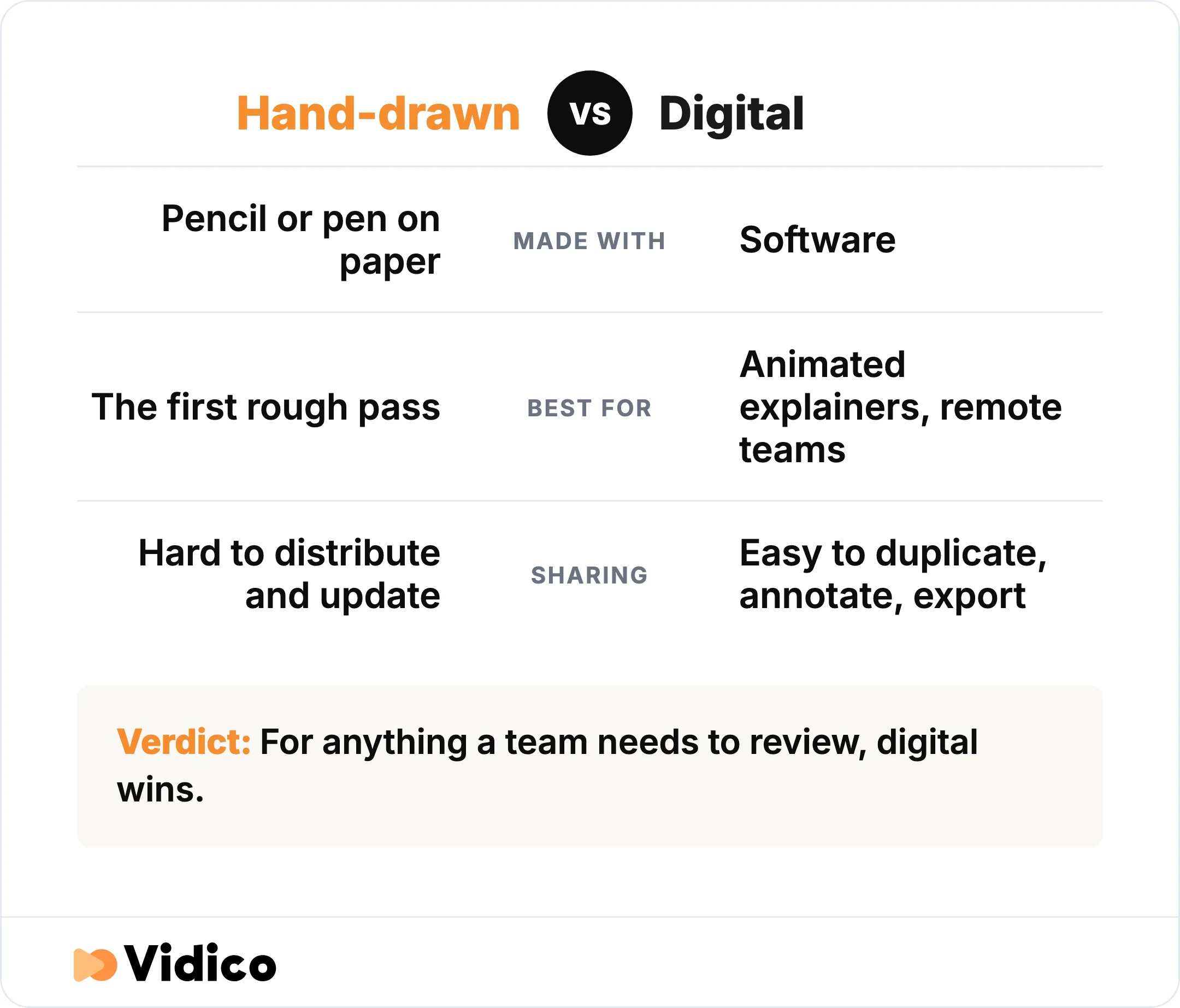
Paper is often faster for a first pass. For anything a team needs to review or an animator needs to work from, digital wins.
Explainer Video Storyboard Tools and Templates
The best explainer video storyboard tool is the one your team will actually use and share. Most options are free or low-cost, template-driven, and built for collaboration. Here are the common ones and where each fits.
| Tool | Paper or digital | Best for | Notable feature |
|---|---|---|---|
| Pen and paper | Paper | The first rough pass, solo | Fastest way to get ideas down |
| Canva | Digital | Beginners and quick boards | Free, editable storyboard templates |
| Boords | Digital | Collaborative teams | Version history and team comments |
| StudioBinder | Digital | Teams that also plan shots | Storyboard arrows and downloadable PDFs |
| Milanote | Digital | Visual brainstorming | Free, editable board templates |
| Storyboard Pro | Digital | Professional animation studios | Industry-standard board and camera tools |
If you want a template, start with a free one from Canva or StudioBinder and adapt it. A usable explainer template needs three things per frame: space for the sketch, a line for the voiceover, and a field for notes. That is the whole format.
These tools put storyboarding within reach of any team, which is the point of this guide. If you would rather hand the whole process to people who board explainer videos every week, that is where a production partner comes in, covered further down.
How To Make an Explainer Video Storyboard in 6 Steps
Making an explainer video storyboard takes six steps, from the finished script to a board your team has signed off. Work through them in order.
- Start with your finished script. The script is the prerequisite, not a parallel task. It sets the message and the running order, and it gives you the voiceover lines you will pin under each frame. If the script is not done, finish it first. You can see how the pieces fit in our explainer video script examples.
- Break the script into scenes and map the frames. Read the script and mark where one idea ends and the next begins. Each of those beats becomes one or more frames. A short explainer, around 60 to 90 seconds, usually maps to roughly 10 to 20 frames, so you are not boarding every second, only the shots that change what the viewer sees.
- Sketch each frame, and keep it rough. Draw what the viewer sees in each box. Stick figures, arrows, and simple shapes are enough. The goal is to get the idea down fast, not to make art, so resist the urge to polish this pass.
- Add the voiceover line, on-screen text, and direction notes. Under each frame, write the script line that plays over it, the on-screen text that appears, and a short note on camera movement, transitions, or character action. This is what turns a row of sketches into instructions a team can build from.
- Set pacing, timing, and aspect ratio. Note roughly how long each frame is on screen so the finished video does not feel rushed. Decide the aspect ratio now too, 16:9 for a website or YouTube, 9:16 or square for social, because it changes how you frame every shot.
- Review, get sign-off, and export. Share the board with your team and stakeholders and get feedback while it is still cheap to change. Once it is approved, export it as a PDF or a review link and hand it to production. For where this sits in the wider workflow, see our video production process guide.
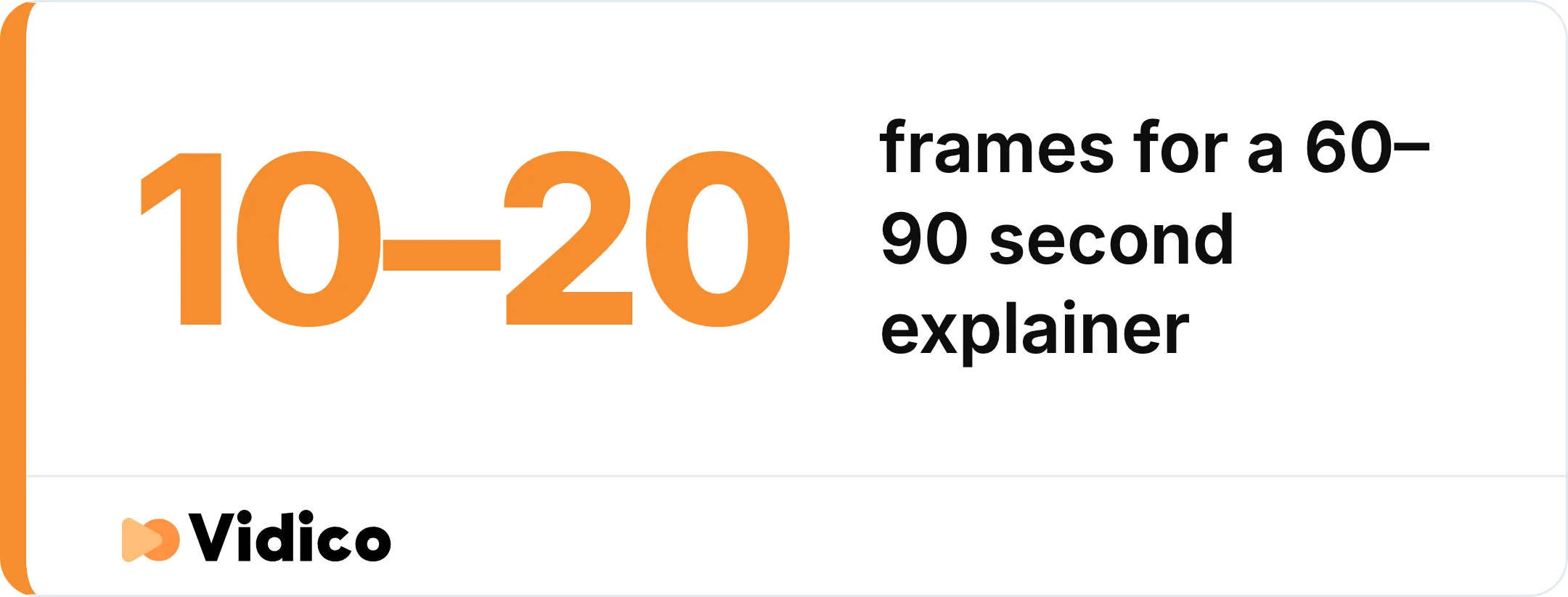
A short explainer of around 60 to 90 seconds usually maps to roughly 10 to 20 frames. Board the shots that change what the viewer sees, not every second.
What a Good Explainer Video Storyboard Looks Like
A good explainer video storyboard reads like a comic strip that someone else can follow without you in the room. If a colleague can pick it up and understand the video scene by scene, it is doing its job. The markers of a strong board:
- Every frame pairs a visual with its voiceover line. The picture and the words always travel together.
- The sketches are rough but clear. Readable beats beautiful. Nobody should need to guess what a frame shows.
- The story arc is visible. Beginning, middle, and end are obvious, with the problem, the solution, and the call to action each landing in a frame.
- Notes are specific. Camera moves, transitions, and on-screen text are written down, not left in someone’s head.
- It is the right length. Enough frames to capture every shot that changes, and no more.
In need of creative? Get a quick estimate
Find the right type of creative to meet your marketing goals and get an instant estimation on how much it would cost to produce it.
Common Explainer Video Storyboarding Mistakes
A frequent storyboarding mistake is starting before the script is finished, and many of the others come from adding detail in the wrong places. Watch for these:
- Boarding before the script is done. Without a locked script, you are guessing at the message, and the board falls apart when the script changes.
- Over-detailing the early sketches. Polishing art on the first pass wastes hours and makes the story harder to change.
- Cramming too much into one frame. If a frame needs a paragraph to explain it, split it into two.
- Leaving out pacing and timing notes. A board with no timing produces a video that feels rushed or slow.
- Writing unclear annotations. If your notes only make sense to you, the board cannot be handed off.
- Skipping feedback and sign-off. The board exists so people can catch problems early. Show it around before production starts.
Can AI or ChatGPT Storyboard an Explainer Video?
AI tools like ChatGPT can generate storyboard-style image panels from a text prompt, which makes them a fast option for a rough first pass or for pitching a visual direction, but they do not produce the finished video and they do not replace the creative decisions. ChatGPT’s image generation renders text and comic-strip layouts, and OpenAI notes that “GPT-4o can build upon images and text in chat context, ensuring consistency throughout” as you refine a scene in conversation.
The limits matter for brand work. AI generates still images, not animation, so you still have to produce the video. Consistency holds for a few iterations but tends to drift across a long, brand-specific sequence, and the tool will not decide which problem your video should lead with or how to structure the story. That strategic layer is the part that makes an explainer convert.
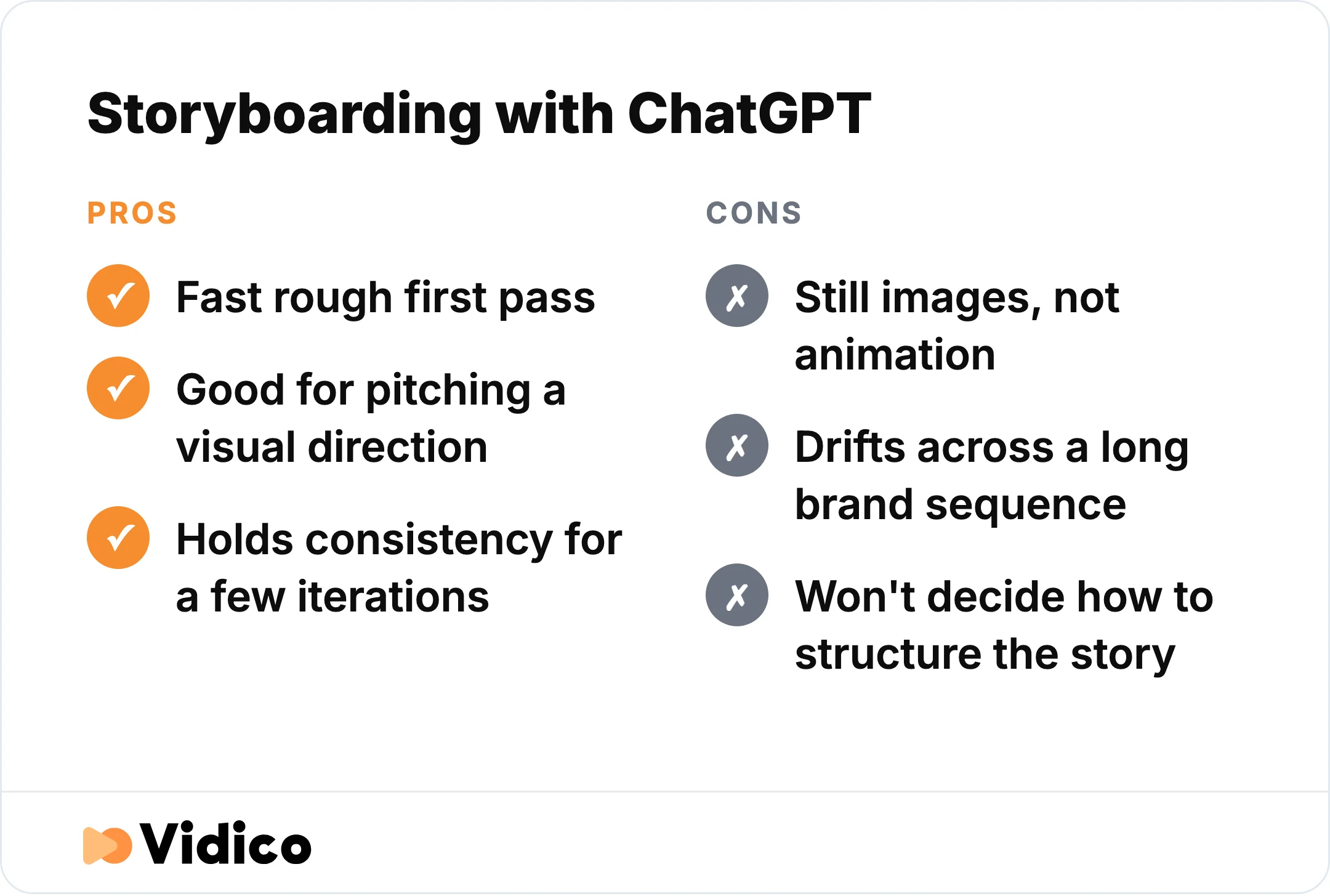
AI is a real shortcut for a rough board, but it does not produce the finished video or replace the creative decisions.
At Vidico, we use AI to speed the repetitive layer of production, things like versioning, localization, and repurposing, while a creative director owns the brief and every final frame. AI is a real shortcut for a rough board. It is not a substitute for a storyboard built by people who produce explainer videos for a living.
Why Teams Choose Vidico for Explainer Videos
Vidico is a B2B explainer video company, and storyboarding is a built-in step of how we produce explainer videos, not an extra you manage yourself. For teams without the time or the in-house craft to board an explainer well, we take the whole pre-production process off your plate: script, storyboard, and sign-off, before anything gets animated.
Two things make the difference for the teams we work with. First, the storyboard you approve becomes the blueprint for a finished explainer and for the 40-plus assets we cut from it, so one production feeds your whole channel mix. Second, you get a full creative team on a monthly plan instead of a one-off project quote, which fits companies shipping video regularly. Our animated explainer for Digital Ocean’s App Platform is one example of where that process leads: it earned more than 3.7 million YouTube views and lowered cost per acquisition. See how we work for the full process.
Want to see how your current video stacks up? Our Creative Intelligence Report is a free competitive analysis of your video content, delivered in 48 hours. Spots are limited.
FAQs
What is a video storyboard?
A video storyboard is a sequence of sketched frames that previews each scene of a video, paired with the voiceover and on-screen text for each frame. It is the visual plan a team follows during production, built after the script and before filming or animation.
What is the difference between a storyboard and a storyline?
A storyline is the narrative, the story your video tells in words. A storyboard is the visual plan for showing that story on screen, frame by frame. You write the storyline first, usually as a script, then turn it into a storyboard.
What are the steps of storyboarding an explainer video?
Start with a finished script, break it into scenes and map the frames, sketch each frame roughly, add the voiceover line and direction notes, set pacing and aspect ratio, then review, get sign-off, and export for production. The number of steps matters less than the order: script first, board second, production last.
What program is best for storyboarding?
The best program is the one your team will use and share. Canva and StudioBinder are good free starting points with templates, Boords adds version history and team comments for collaborative work, Milanote suits visual brainstorming, and Storyboard Pro is the industry standard for professional animation studios. Paper works fine for a first rough pass.
How do beginners storyboard an explainer video?
Beginners should start with a free template, one frame per shot, and keep the drawings rough. Write the matching voiceover line under each frame so the visuals and narration stay linked. You do not need to draw well. You need each frame to be clear enough for someone else to follow.
How many frames should an explainer video storyboard have?
A short explainer of around 60 to 90 seconds usually needs roughly 10 to 20 frames. Board the shots where the visual changes, not every second of the video. If a single frame needs a long explanation to make sense, split it into two.
The Bottom Line
An explainer video storyboard turns your script into a visual plan, frame by frame, and it is the cheapest point in the whole process to get the video right. Start from a finished script, keep the sketches rough, pair every frame with its voiceover line, and get sign-off before anything is animated. Whether you board it yourself in a free tool or hand it to a production team, the storyboard is what keeps the finished video clear and on message.
Vidico builds reusable video production systems for B2B teams, so the storyboard you approve becomes the blueprint for a finished explainer and the assets cut from it. If you are planning your next explainer video, book a free strategy session to talk through your script, storyboard, and goals.