
The fastest way to pick a Synthesia alternative is to match the tool to the job. Need a talking AI presenter for marketing or sales? HeyGen. Building onboarding and compliance courses? Colossyan. Repurposing footage you already shot? VEED. Showing your actual software on screen? Arcade or Loom. And for the videos that carry your brand, a homepage hero, a launch film, a flagship explainer, no avatar tool is the right call at all.
Most teams start shopping because Synthesia’s Starter plan caps you at 10 video minutes a month, credits run out faster than expected, and stock avatars can read stiff for customer-facing work. Those are real limits. They also do not make Synthesia bad. They make it one specific tool in a category that now has better fits for specific jobs.
At Vidico, we have produced 2,000+ video campaigns for B2B and SaaS teams like Square, Spotify, and Airtable. We build professional video for a living, so this guide ranks these tools by what they are actually good at, not by which one pays us. Every price below was checked against the vendor’s own pricing page in July 2026. (Looking for the piano-learning app? This guide covers Synthesia.io, the AI video platform, not the MIDI software.)
Key Takeaways
- Best overall avatar alternative: HeyGen wins on avatar realism, lip-sync, and a genuinely usable free plan.
- Best for training and LMS: Colossyan exports SCORM on its standard plans (Synthesia locks that to Enterprise) and has no content-moderation queue, so regulated teams can publish immediately.
- Cheapest way in: D-ID starts at $4.70/month billed annually and VEED’s paid editor starts at $10/month. HeyGen and VEED both have free, watermarked tiers.
- When you do not need an avatar at all: for screen demos and tutorials, Loom or Descript beat any avatar tool. For a brand or launch video, professional production beats all of them.
- The real cost trap is volume: per-minute and credit-based pricing looks cheap until one onboarding series eats your monthly allowance. Price every tool at your actual output, not the headline number.
Content
Why Teams Look for a Synthesia Alternative
Teams leave Synthesia for five recurring reasons: minute caps, credit confusion, billing surprises, avatar stiffness, and content moderation. Knowing which one is driving your search tells you which alternative to pick.
The 10-minute cap is the number one trigger. Synthesia meters video by the minute, and its entry plans are tight: both the free Basic plan and the $29/month Starter plan cap you at 10 video minutes a month. Per Synthesia’s own pricing, heavier use jumps to the Creator tier at $89/month. A single onboarding series can blow through 10 minutes in one video.
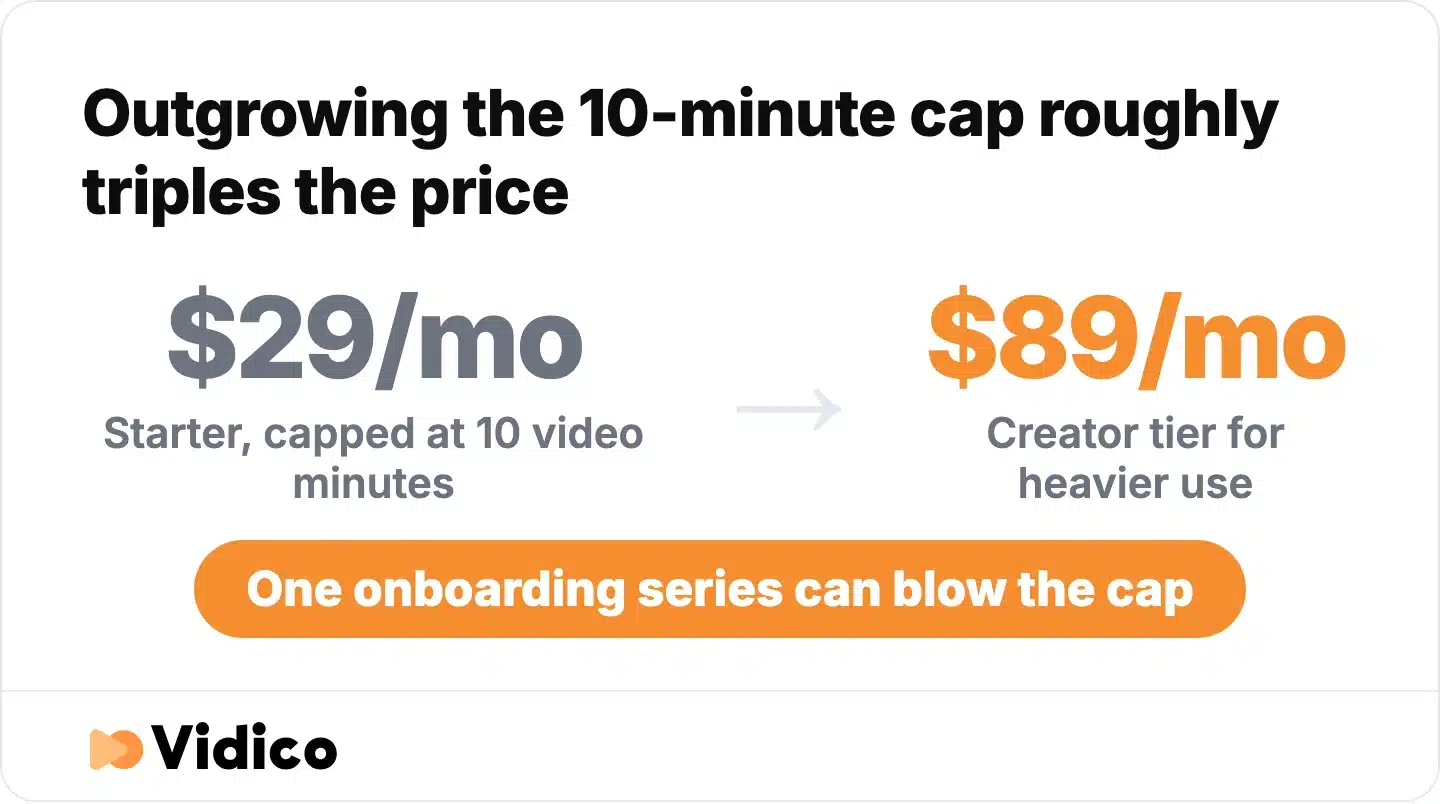
What outgrowing the 10-minute cap actually costs. Source: Synthesia pricing, July 2026.
Credits and minutes can be confusing. Synthesia meters video by minutes and credits rather than flat output, so a heavy month can cost more than expected and per-minute pricing climbs fast at volume. If predictable pricing matters, look for seat-based or flat plans instead.
Avatars still read as AI for brand work. Synthesia’s own CEO told Fortune that avatars struggle most with natural movement, like hand gestures and microexpressions, which is exactly what makes them “look weird.” That is fine for an internal update. It is a problem when the video is the first thing a prospect sees.
Content moderation can slow regulated teams down. Compliance-heavy teams in fields like healthcare often hit content-review delays on stock AI avatars. Colossyan markets no moderation queue as a direct selling point against Synthesia, letting those teams publish without the wait.
None of this is a knock on Synthesia. It is a map of where other tools fit better.

Synthesia Alternatives at a Glance
Here are the 10 alternatives compared by best use case, free plan, and starting price. All pricing is current as of July 2026. Starting prices marked (yr) reflect annual billing; check the vendor page before you buy, since AI tool pricing changes often.
| Tool | Best for | Free plan? | Starting price | Category |
|---|---|---|---|---|
| HeyGen | Marketing and sales presenters | Yes (3 videos/mo) | $29/mo | AI avatar |
| Colossyan | Training, L&D, and LMS courses | Free tier | $59/mo | AI avatar |
| D-ID | Talking-head clips on a tight budget | Trial only | $4.70/mo (yr) | AI avatar |
| DeepBrain AI (AI Studios) | High-volume text-to-video | Yes (3 videos/mo) | $24/mo | AI avatar |
| Elai.io | Budget training video from documents | Yes | $29/mo | AI avatar |
| Arcade | Interactive SaaS product demos | Yes (1 seat) | $50/mo | Screen/demo |
| Descript | Editing video by editing text | Yes | $16/user/mo (yr) | Editing |
| VEED | Repurposing footage in a browser | Yes (watermark) | $10/mo (yr) | Editing |
| Pictory | Turning long content into short clips | Trial only | $25/mo (yr) | Text-to-video |
| Runway | Generative, creative brand b-roll | Yes | $15/mo | Generative |
Top 10 Synthesia Alternatives, By Category
Alternatives split into four jobs: AI avatar and presenter tools (direct Synthesia swaps), screen and product-demo tools (no avatar), editing suites (repurpose and caption), and generative video. Match the category to your use case first, then pick inside it.
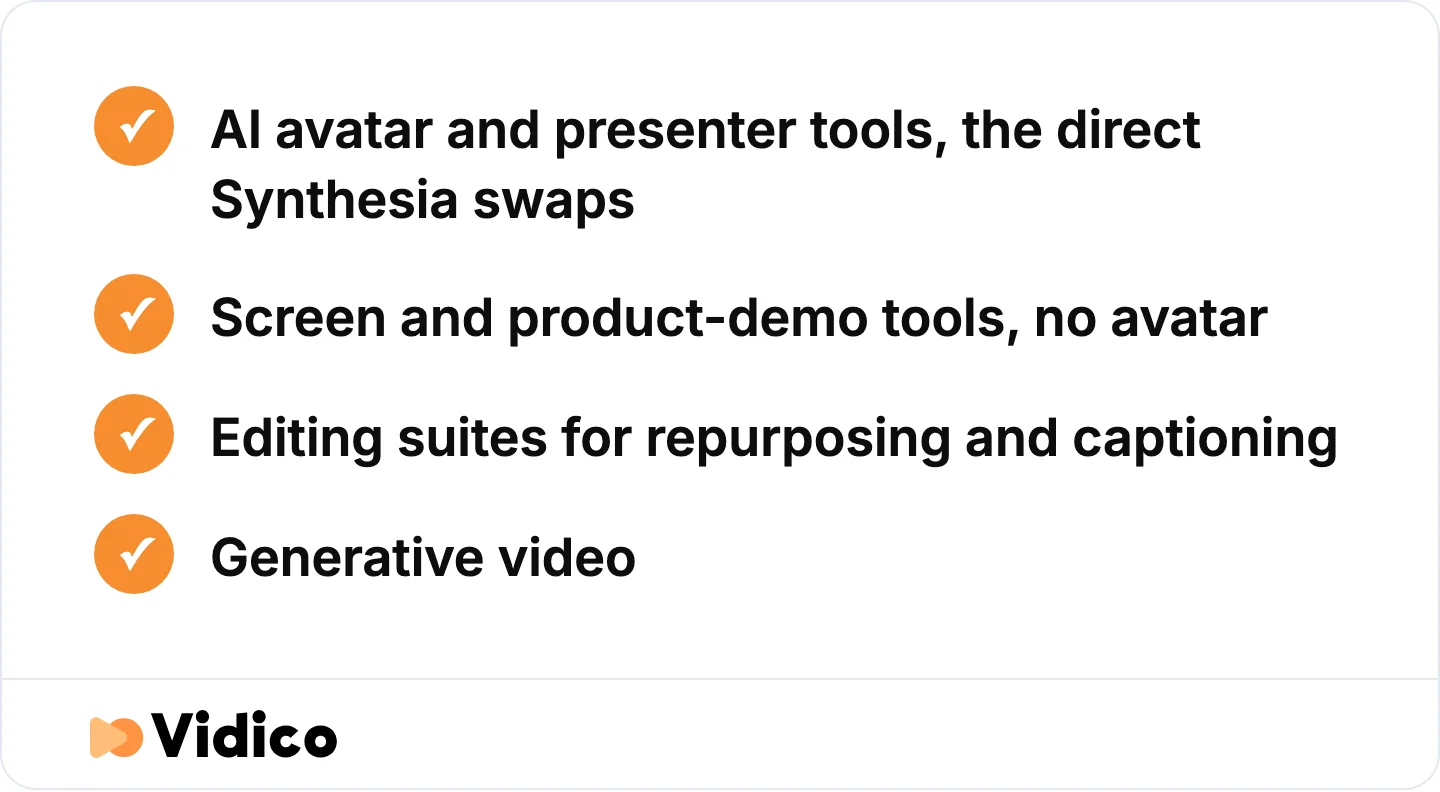
Pick the category before you pick the tool.
AI Avatar and Presenter Tools
1. HeyGen: best for marketing and sales presenters.
HeyGen is the most realistic avatar tool in the category and the closest direct replacement for Synthesia. It is known for lifelike avatars, strong lip-sync, and video translation that re-syncs lips to the new language, which makes it a favorite for outbound sales and multilingual campaigns.
Its free plan gives you three videos a month; paid starts at Creator $29/month, then Pro $49 and Business $149. It holds a 4.8 rating from roughly 1,900 reviews on G2, which ranks it the top overall alternative to Synthesia, the highest score in this list.
Not for you if you need deep course logic like quizzes and SCORM; a training-first tool fits better. Because HeyGen and Synthesia are so close, we broke the full head-to-head down separately: read the HeyGen vs Synthesia comparison.
2. Colossyan: best for training, L&D, and LMS courses. Colossyan is purpose-built for workplace learning, which is where it beats Synthesia outright. It exports SCORM on its standard plans and supports quizzes and branching scenarios, so courses drop straight into an LMS. Synthesia reserves SCORM for its Enterprise tier. Colossyan also skips the content-moderation queue, so regulated teams publish immediately.
Pricing runs a free Starter tier, then Professional at $59/month (plus $30/month per extra member), and Enterprise, per its pricing page. It rates 4.6 on G2 across about 490 reviews.
Not for you if you want cinematic brand video; it is built for functional course content, not hero films.
3. D-ID: best for talking-head clips on a tight budget. D-ID is the cheapest paid avatar tool here, starting at $4.70/month billed annually. It is known for turning a single still photo into a talking head, plus real-time interactive avatar agents.
Annual tiers run Lite $4.70, Pro $16, and Advanced $108/month on its pricing page; month-to-month rates run higher. D-ID holds a 4.6 on G2 from roughly 110 reviews.
Not for you if you need a library of full-body presenter avatars; its strength is photo-to-face, not studio-style scenes.
4. DeepBrain AI (AI Studios): best for high-volume text-to-video. AI Studios by DeepBrain AI turns scripts, and even PowerPoint files, into avatar video fast, which suits teams pumping out a lot of simple videos. DeepBrain AI is known for realistic, news-anchor-style AI presenters.
Its free plan allows three videos a month; paid starts at Personal $24/month with unlimited videos, then Team $55/seat. It rates 4.2 on G2 across about 1,040 reviews, the lowest star average of the avatar tools here but on solid review volume.
Not for you if avatar realism is your priority; it trades polish for speed and price.
5. Elai.io: best for budget training video from documents. Elai.io builds avatar video straight from text, URLs, and documents, with automatic translation, aimed at L&D teams that want output without an editing learning curve. It offers a free plan, then Creator at $29/month ($23 billed yearly, 15 minutes) and Team at $125/month, per its pricing page. Elai holds around a 4.6 on G2 from roughly 125 reviews.
Not for you if you need advanced timeline editing; it is deliberately simple and document-driven.
Screen and Product-demo Tools
6. Arcade: best for interactive SaaS product demos. Arcade solves a job avatar tools cannot: showing your actual software instead of a person narrating a script. It is known for interactive, clickable product demos rather than talking-head video, and its Creator Studio captures real product UI into guided walkthroughs with AI voiceover. It runs a free single-seat plan, a Growth plan at $50/month, and custom Enterprise pricing, with AI credits metered per month. Arcade rates 4.7 on G2 across roughly 106 reviews.
Not for you if you need a talking presenter; there is no avatar here by design.
7. Descript: best for editing video by editing text. Descript lets you edit video and audio by editing the transcript, so cutting a word cuts the footage. It pioneered transcript-based editing and pairs screen recording with AI editing without ever needing an avatar. It has a free plan, with paid tiers from about $16/user/month billed yearly ($24 monthly) up to Business at $50 to $65. Descript rates 4.6 on G2 from around 865 reviews.
Not for you if you specifically want AI presenters; its whole model is real recordings, edited fast.
Also worth a look here: Loom for quick async screen recordings when you just need to show your screen and talk over it, no AI avatar required.
Editing and Generative Video
8. VEED: best for repurposing footage in a browser. VEED is a browser-based editor with AI avatars bolted on, so it fits marketers who already have footage and want to cut, caption, and repurpose it for social. It is known as a browser-based video editor and handles full-timeline editing plus auto-subtitles alongside its avatars. Its free plan watermarks output; paid runs Creator $10, Pro $21, and Studio $35 (billed yearly). The $18 figure floating around older roundups is stale. VEED rates 4.6 on G2 across roughly 2,100 reviews, the largest review base in this list.
Not for you if you want a dedicated avatar studio; avatars are a feature here, not the focus.
9. Pictory: best for turning long content into short clips. Pictory converts long-form assets, blogs, webinars, and recorded video, into short, captioned social clips, which is its clearest edge over Synthesia. It is designed around summarizing and repurposing rather than avatar creation.
There is a 14-day trial but no permanent free plan; paid starts at Starter $25/month (billed yearly), then Professional $35 to $59 and Team $119 to $199 on its pricing page. Pictory rates 4.6 on G2 from about 80 reviews.
Not for you if you need original video created from scratch; it works best on content you already have.
10. Runway: best for generative, creative brand b-roll. Runway generates video from text and images rather than scripting an avatar, making it the pick for creative teams who want original, generative footage. It is a pioneer of generative AI video, and its Gen-4.5 model produces generative scenes and b-roll from text and images. It has a free tier, then Standard $15/month ($12 yearly), Pro $35, and Max $95. Third-party review data on Runway is thin and mixed, roughly 3.7 on G2 from only 17 reviews, so weight your own trial more heavily than the score here.
Not for you if you need a talking presenter or predictable, on-brand output every time; generative video is powerful but less controllable.
A few others you may see: Camtasia by TechSmith is a one-time-license screen recorder and editor for teams that would rather own software than subscribe, while PlayPlay, Lumen5, and InVideo cover branded business, blog-to-social, and text-to-video respectively. Their pricing is demo-gated or was not publicly listed at the time of writing, so check the vendor before committing.
How to Choose a Synthesia Alternative
Choosing well comes down to six questions, in order. Skipping the first one is why teams end up with the wrong tool.
- Name your dominant use case. Marketing presenter, training and LMS, product demo, social repurposing, or brand video. This alone narrows you to one category above.
- Ask if you even need a talking human. For screen demos and tutorials, screen capture plus voiceover (Arcade, Loom, Descript) beats any avatar. Do not add a face just because the tool has one.
- Match avatar realism to your brand bar. An avatar that is fine for an internal update can read as generic to a paying customer. Be honest about whose eyes land on it.
- Price it at your real volume. Per-minute and credit models look cheap at the headline, then climb fast. A 10-minute monthly cap is nothing for one course. Do the math on your actual output, then compare against a flat or seat-based plan.
- Check compliance and moderation limits. If you are in a regulated industry, confirm you can actually publish your content before you buy. This is where Colossyan’s no-moderation-queue model matters.
- Trial a real asset, not a demo script. Build something you would actually ship. Avatar quality and editing friction only show up on real work.
For a fuller breakdown of what different video approaches cost, see our guide to video production cost.
When an AI Avatar is the Wrong Tool
AI avatar tools are the right call for internal training, localized microlearning, quick social variations, and high-volume, low-stakes video. They are the wrong call when the video is the brand: a homepage hero, a product launch, a flagship explainer, or a paid brand campaign. In those moments, a stock-feeling avatar reading a script lands as generic, and generic is the one thing a launch cannot be.
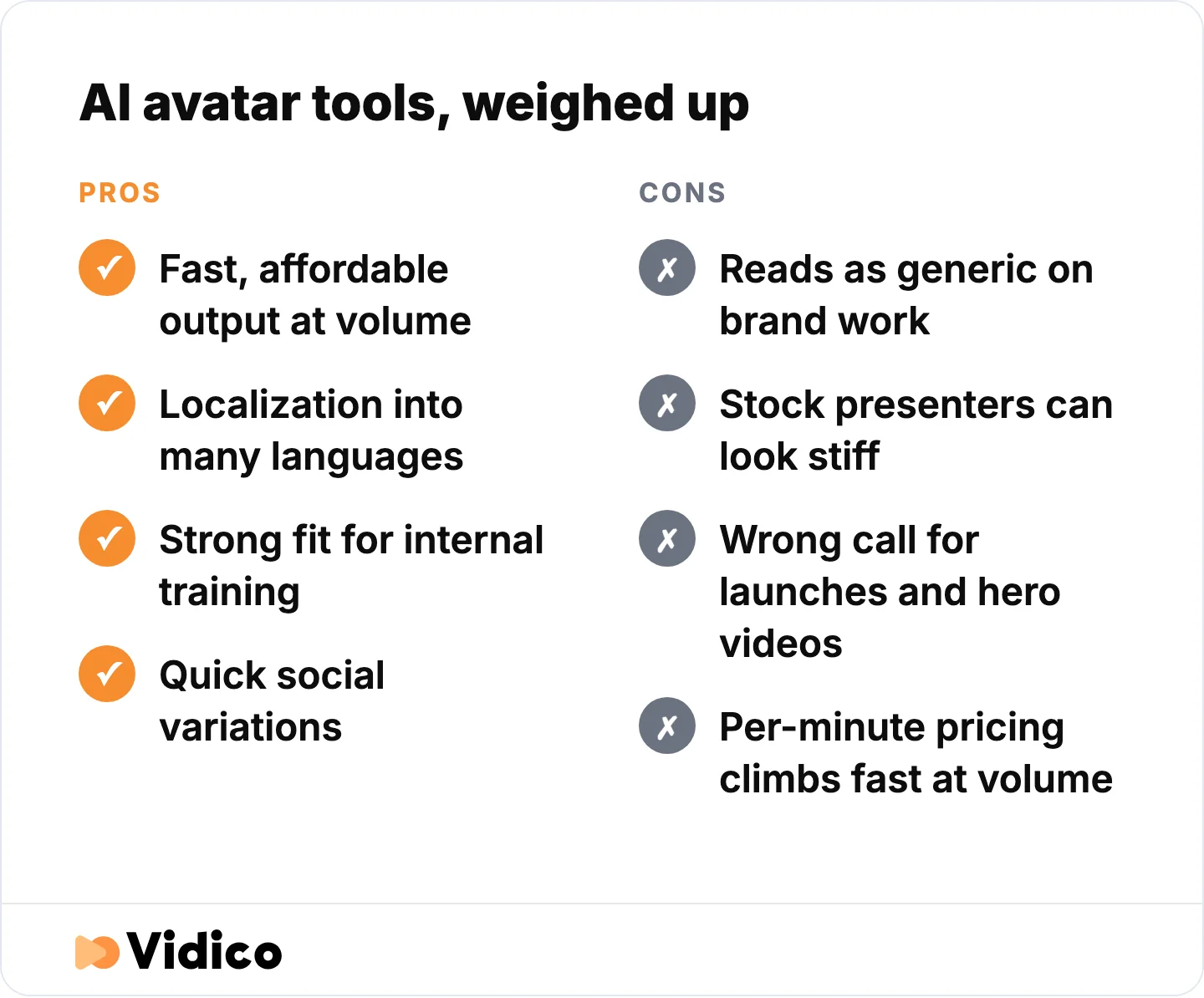
Where avatar tools earn their place and where they cost you.
That is where production comes in. Our position at Vidico is simple: we are not anti-AI, we are anti-slop. AI speeds up the repetitive layer of our own workflow, subtitle generation, hook testing, and performance analysis, but a human creative director owns the brief, the concept, and the final cut of anything that represents your brand. Our 2026 State of Creative report draws that line, and it separates speeding up production from handing the creative decision to a machine.
The difference shows up in results. Our explainer work for Digital Ocean pulled in more than 3.7 million YouTube views and lowered cost per acquisition, the kind of scale a stock avatar clip does not reach. For Taggg, a single launch explainer was credited with the platform’s first 250 users, which is exactly the high-stakes launch job avatars fall short on. Across 2,000+ campaigns and 1.5 billion+ views, the pattern holds: AI tools are for volume, production is for the videos that have to land.
The payoff for getting brand video right is real. Short-form video now delivers the highest ROI of any media format, with 48.6% of marketers ranking it in their top three for performance, according to HubSpot’s marketing research. The tool you choose should match how much is riding on the result.
Want to see how your current video stacks up before you decide? Our Creative Intelligence Report is a free competitive analysis delivered in 48 hours.
For training content that needs a human presenter and brand consistency at scale, a dedicated e-learning video production team often outperforms an AI avatar tool.
Frequently Asked Questions
What is the best free Synthesia alternative?
VEED and HeyGen have the strongest free plans, both watermarked. VEED’s free browser editor suits repurposing and captioning; HeyGen’s free tier gives you three avatar videos a month. For the cheapest paid entry, D-ID starts at $4.70/month billed annually.
What is the best Synthesia alternative for training and LMS?
Colossyan is the best fit for training and LMS courses. It exports SCORM on standard plans, supports quizzes and branching scenarios, and has no content-moderation queue, so regulated teams can publish right away. Elai.io is a lower-cost option for document-to-video training content.
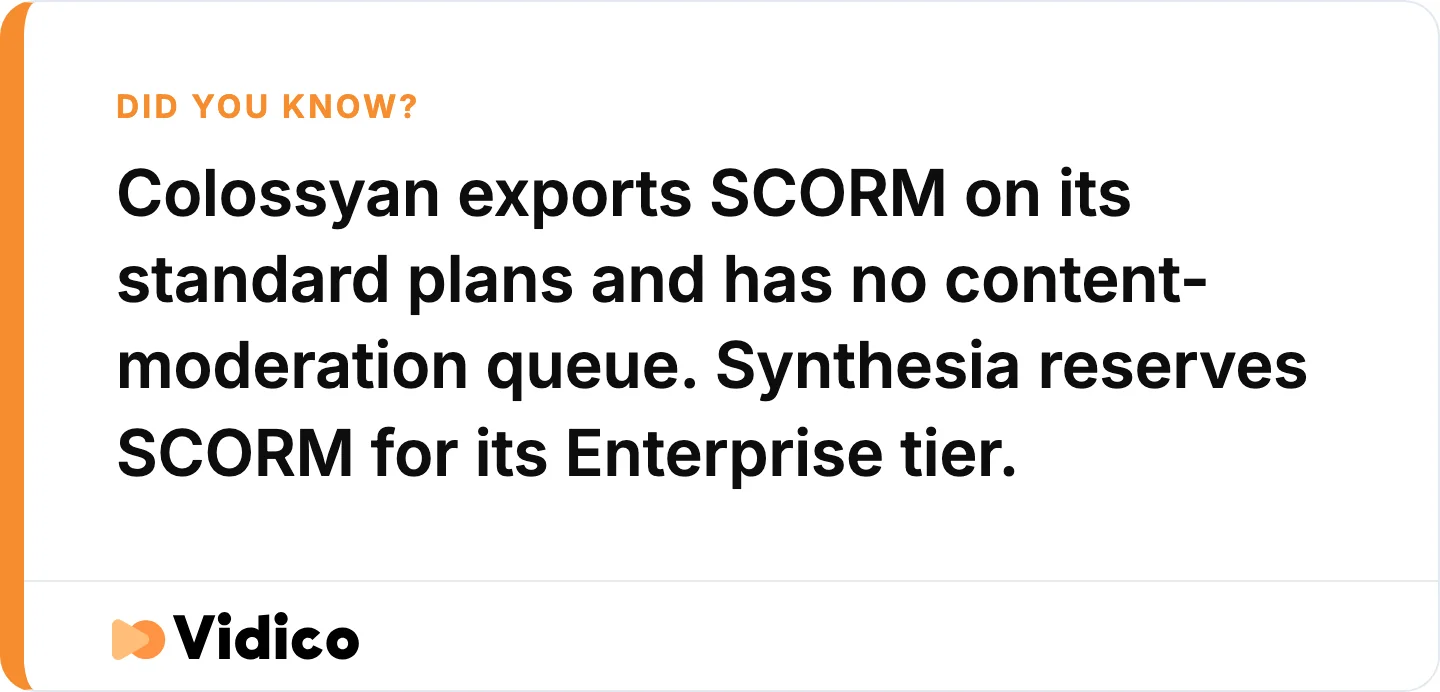
The single feature that decides most training and LMS shortlists.
Is HeyGen better than Synthesia?
It depends on the job. HeyGen generally leads on avatar realism, lip-sync, and its free plan (three videos a month), while Synthesia has deeper enterprise controls and a larger stock-avatar library. For most marketing and sales presenter use cases, HeyGen is the closer fit; for locked-down enterprise training, Synthesia still holds an edge.
What is the cheapest Synthesia alternative?
D-ID is the cheapest paid avatar tool at $4.70/month billed annually, and VEED’s paid editor starts at $10/month. Several tools, including HeyGen, VEED, DeepBrain AI, and Elai.io, offer free tiers with watermarks or limits.
Do I actually need an AI avatar tool?
Often, no. For screen demos and tutorials, Loom or Descript work better without any avatar. For a brand, launch, or hero video, professional production beats every avatar tool. Reserve avatar tools for internal training, localization, and high-volume social content.
The Bottom Line
The best Synthesia alternative is the one that matches your job. HeyGen for realistic marketing presenters, Colossyan for training and LMS, VEED or Descript for editing and repurposing, Arcade for product demos, and D-ID or DeepBrain AI when budget or volume leads. AI video generator are fast, affordable, and genuinely good for training, localization, and social at scale.
They are not the right tool for the videos that define your brand. For launches, hero explainers, and campaigns, Vidico builds professional, human-led video for B2B and SaaS teams, using AI to speed production, not to replace the creative decision. That is how work like our Digital Ocean and Taggg explainers earns results an avatar clip cannot.
If you are weighing DIY AI video against professional production for something that matters, book a free strategy session, and we will help you pick the right path for the project.
Sources
- HeyGen Pricing
- Colossyan Pricing
- VEED Pricing
- D-ID Pricing
- AI Studios by DeepBrain AI Pricing
- Elai.io Pricing
- Descript Pricing
- Arcade Pricing
- Pictory Pricing
- Runway Pricing
- Synthesia Pricing
- G2: Synthesia Competitors and Alternatives
- Fortune: What Makes an AI Avatar Seem Human
- HubSpot: Marketing Channels